> For the complete documentation index, see [llms.txt](https://docs.valtimo.nl/llms.txt). Markdown versions of documentation pages are available by appending `.md` to page URLs; this page is available as [Markdown](https://docs.valtimo.nl/valtimo-docs-v3/features/iko/views.md).
# Views
Configure IKO Servers and Views to connect to backend data sources and define how data is presented.
## Overview
A View represents a type of integrated view, for example "Customer (BRP)", "Object", or "Building". Before creating Views, an IKO Server must be configured. Multiple Views can be configured per IKO Server.
## Configuration
### Adding an IKO Server
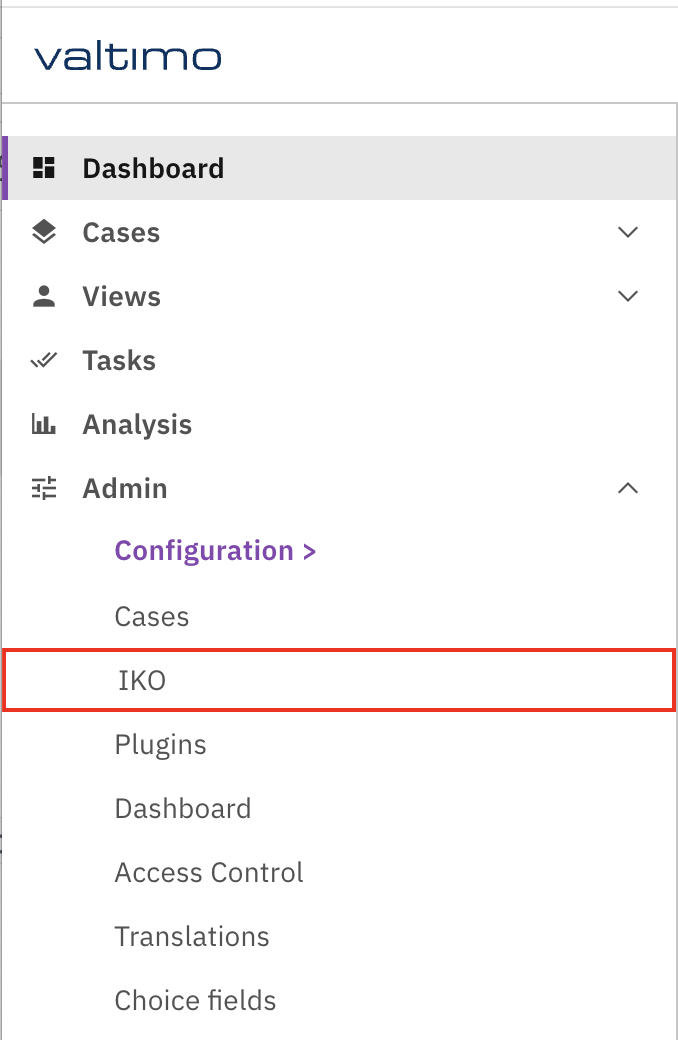
1. Navigate to **Admin** → **IKO**.
2. Click **Add IKO Server**.
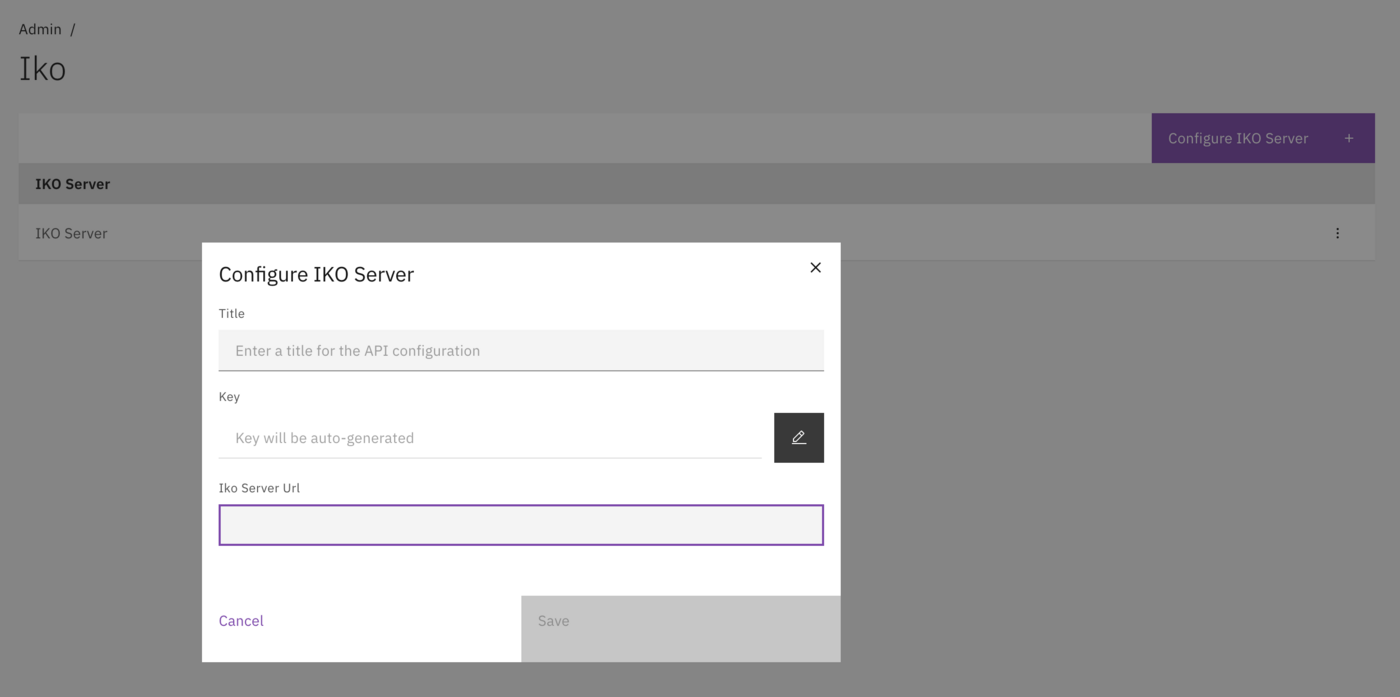
3. Configure the server properties.
Navigate to Admin → IKO to manage IKO Servers and Views.
| Field | Description |
| -------------- | ------------------------------------------- |
| Title | Display name for the IKO Server. |
| Key | Technical key (auto-generated, adjustable). |
| IKO Server URL | URL to the IKO Server. |
Configure the IKO Server connection.
### Creating a View
1. Select an IKO Server from the list.
2. Click **Add View**.
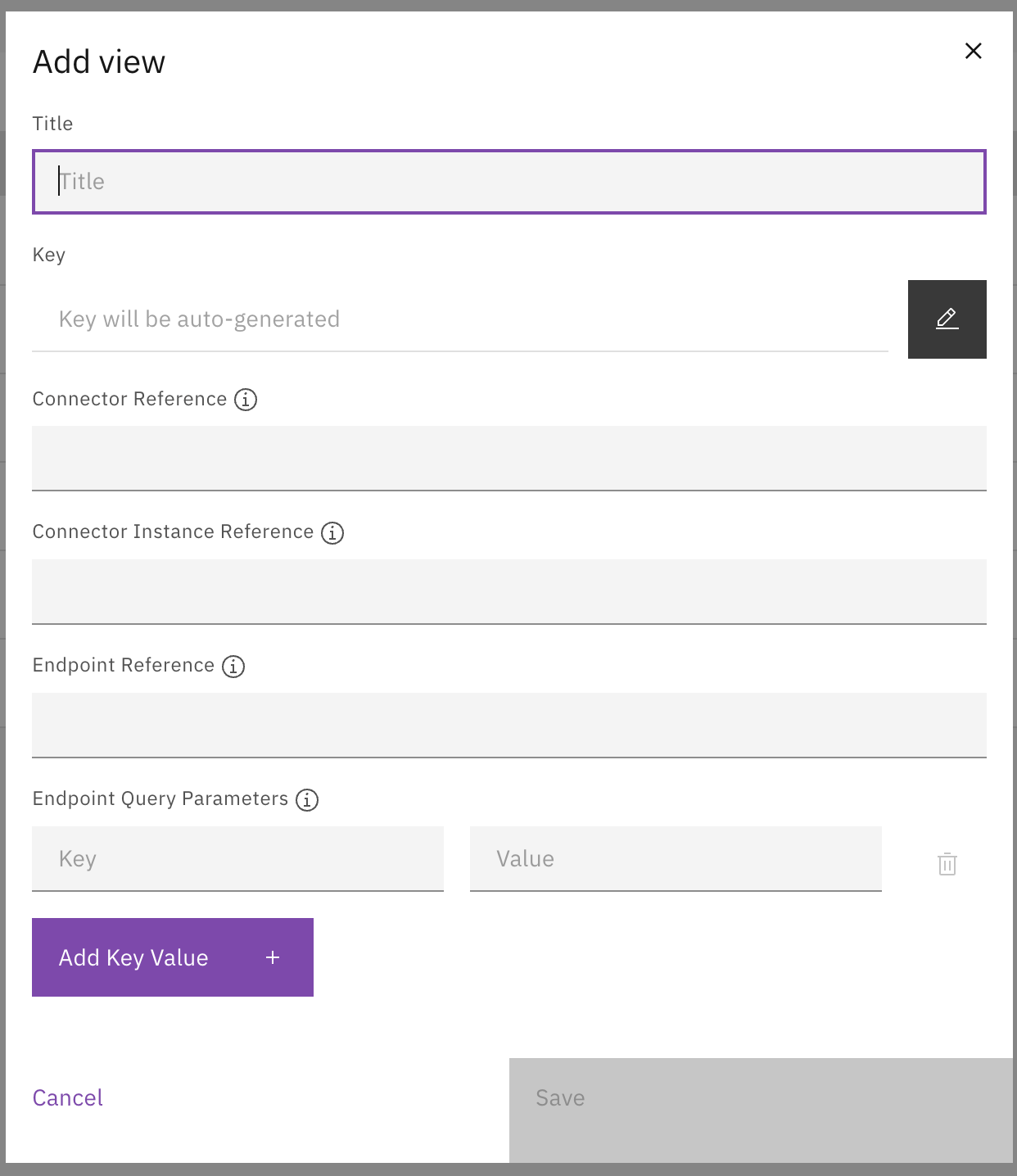
3. Configure the View properties.
Configure View properties including connector and endpoint settings.
## View properties
| Field | Description |
| ---------------------------- | ----------------------------------------------------- |
| Title | Display name (e.g. "Customer BRP"). |
| Key | Technical key (e.g. `customer-brp`). |
| Connector Reference | Reference to the connector (e.g. `connector-in-iko`). |
| Connector Instance Reference | Instance reference (e.g. `connector-instance`). |
| Endpoint Reference | API endpoint on the IKO Server (e.g. `list_persons`). |
| Endpoint Query Parameters | Key-Value pairs for query parameters. |
## View components
Each View has three configurable components:
| Component | Description |
| ------------------ | ---------------------------------------------------------- |
| **Search Actions** | Define how users can search within the View. |
| **List** | Configure columns for the search results table. |
| **Tabs** | Organize detail screen information into tabs with widgets. |
## Related
* [Search actions](/valtimo-docs-v3/features/iko/search-actions.md)
* [List](/valtimo-docs-v3/features/iko/list.md)
* [Tabs](/valtimo-docs-v3/features/iko/tabs.md)