> For the complete documentation index, see [llms.txt](https://docs.valtimo.nl/llms.txt). Markdown versions of documentation pages are available by appending `.md` to page URLs; this page is available as [Markdown](https://docs.valtimo.nl/configuration-guides/dashboard/widgets.md).
# Widgets
Widgets are the building blocks of dashboards. Each widget combines a data source (which defines what data to retrieve) with a display type (which defines how to visualize the data).
***
## Configuring widgets
{% stepper %}
{% step %}
Navigate to **Admin** > **Dashboard**
{% endstep %}
{% step %}
Click on a dashboard to open its detail view
{% endstep %}
{% step %}
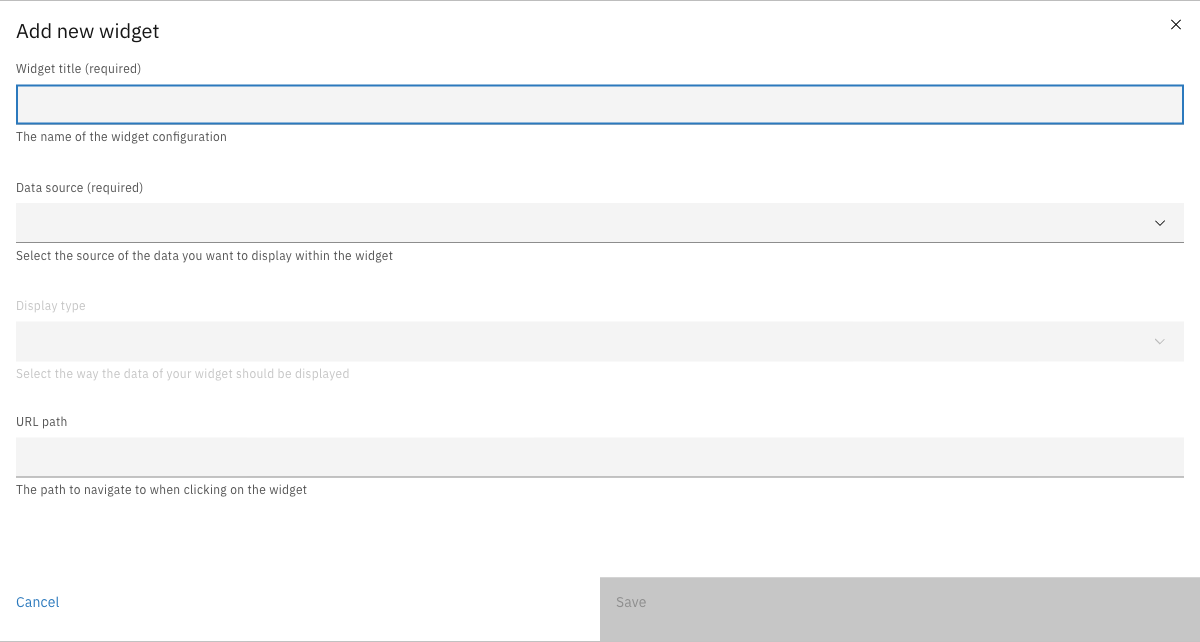
Click **Add new widget**
{% endstep %}
{% endstepper %}
| Property | Description |
| ------------ | ----------------------------------------------------- |
| Widget title | Name of the widget configuration (required) |
| Data source | The source of data to display (required) |
| Display type | How the data should be visualized (required) |
| URL path | Optional path to navigate to when clicking the widget |
***
## Data sources
Data sources define where widget data comes from. Each data source provides specific data features that determine which display types are compatible.
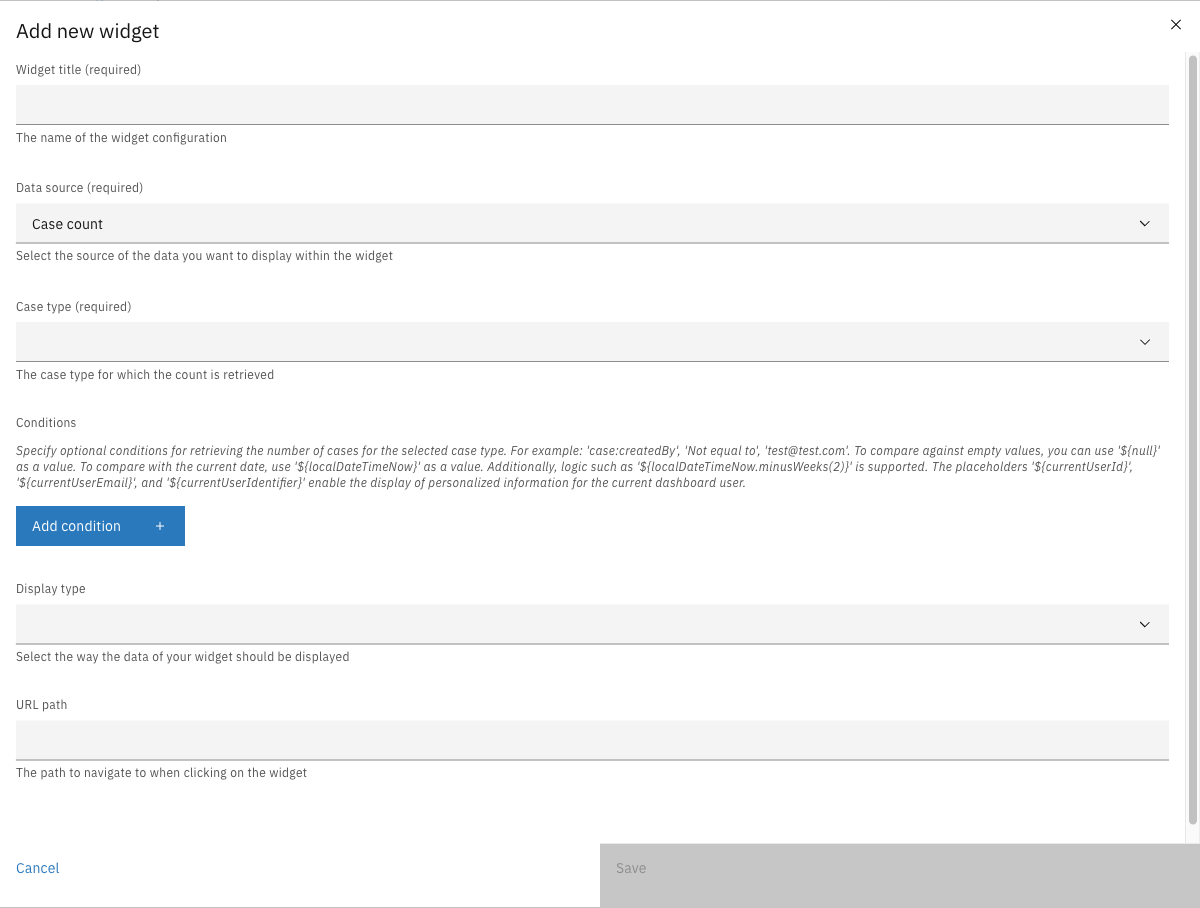
### Case count
Returns a count of cases from a single case definition.
| Property | Description |
| ---------- | --------------------------------------- |
| Case type | The case definition to count (required) |
| Conditions | Optional filter conditions |
**Compatible display types:** Big number, Gauge
### Multiple case counts
Returns multiple labeled counts from the same case definition, each with its own conditions.
| Property | Description |
| ----------- | ------------------------------------------- |
| Case type | The case definition to count (required) |
| Count items | List of labeled condition groups (required) |
Each count item has:
| Property | Description |
| ---------- | -------------------------------- |
| Label | Display label for this count |
| Conditions | Filter conditions for this count |
**Compatible display types:** Donut chart, Bar chart, Meter
### Group by
Groups and counts cases by a specific field value.
| Property | Description |
| ---------- | --------------------------------------- |
| Case type | The case definition to count (required) |
| Path | Field path to group by (required) |
| Conditions | Optional filter conditions |
| Enum | Optional value-to-display-label mapping |
**Compatible display types:** Donut chart, Bar chart, Meter
### Task count
Returns a count of tasks matching specified conditions.
| Property | Description |
| ---------- | ----------------------------------------------- |
| Conditions | Optional filter conditions using `task:` prefix |
**Compatible display types:** Big number, Gauge
***
## Conditions
Conditions filter the data returned by data sources. Each condition consists of a path, operator, and value.
### Path prefixes
| Prefix | Description | Example |
| ------- | ---------------------------- | ----------------------------------------------- |
| `doc:` | JSON document content fields | `doc:requestDetails.amount` |
| `case:` | Case entity properties | `case:internalStatus.id.key`, `case:assigneeId` |
| `task:` | Task entity properties | `task:assignee`, `task:name` |
### Operators
| Operator | Description |
| --------------- | ------------------------- |
| `==` | Equals |
| `!=` | Not equals |
| `>` | Greater than |
| `>=` | Greater than or equal |
| `<` | Less than |
| `<=` | Less than or equal |
| `list_contains` | Collection contains value |
| `in` | Value in collection |
### Placeholders
Use these placeholders for dynamic values:
| Placeholder | Description |
| ----------------------------------- | ---------------------------- |
| `${null}` | Compare against empty values |
| `${localDateTimeNow}` | Current date/time |
| `${localDateTimeNow.minusWeeks(2)}` | Date arithmetic |
| `${currentUserId}` | Current user's ID |
| `${currentUserEmail}` | Current user's email |
| `${currentUserIdentifier}` | Current user's identifier |
***
## Display types
Display types define how widget data is visualized. The available display types depend on the selected data source.
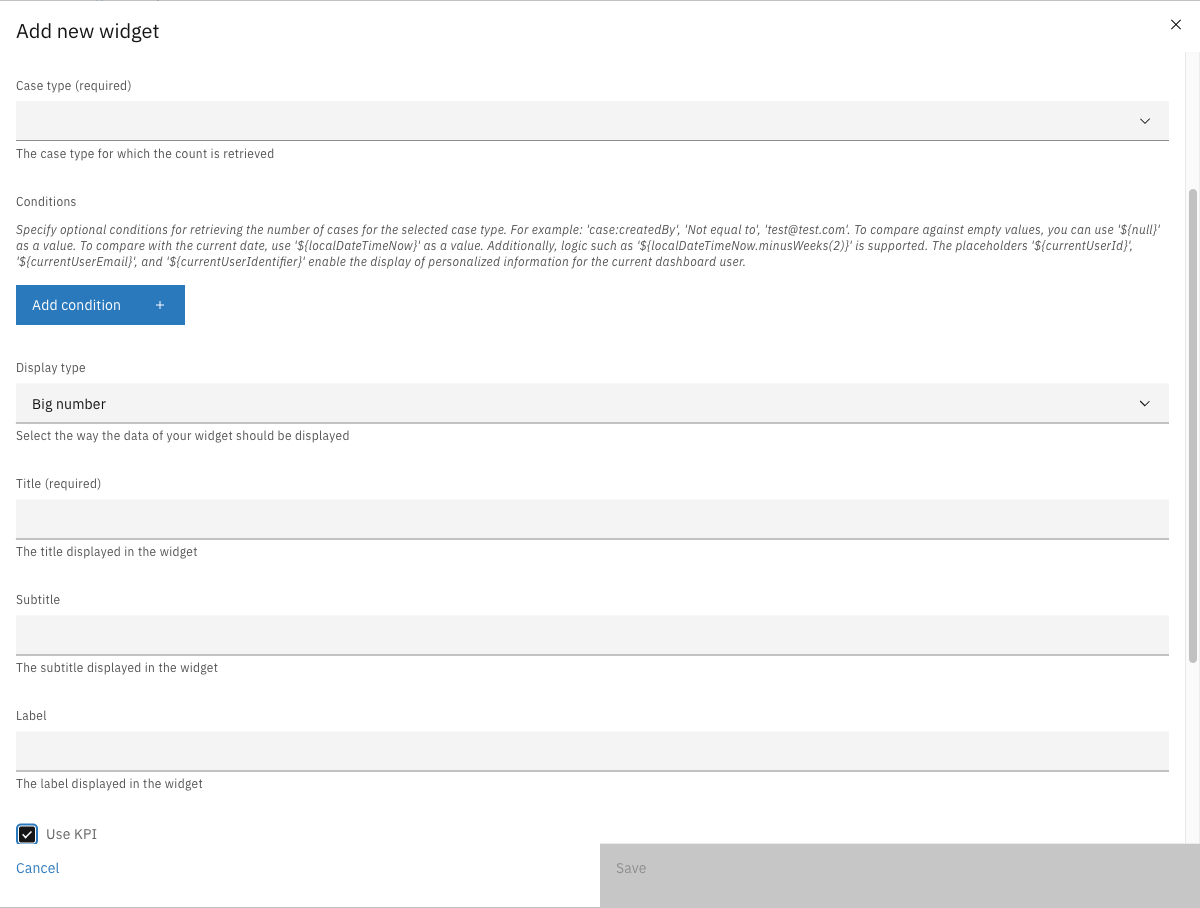
### Big number
Displays a single large numeric value with optional KPI color coding.
| Property | Description |
| -------- | ---------------------------------- |
| Title | Widget title (required) |
| Subtitle | Widget subtitle |
| Label | Label displayed in the widget |
| Use KPI | Enable severity-based color coding |
When **Use KPI** is enabled:
| Property | Description |
| ------------------------- | -------------------------------------------------- |
| Low severity threshold | Values below this are green |
| Medium severity threshold | Values below this are yellow |
| High severity threshold | Values below this are orange; values above are red |
**Required data source features:** `number`
### Gauge
Displays a value as a percentage of a total in a semi-circular gauge.
| Property | Description |
| -------- | ------------------------------------- |
| Title | Widget title (required) |
| Subtitle | Widget subtitle |
| Label | Label shown alongside the total value |
**Required data source features:** `number`, `total`
### Donut chart
Displays proportional data as a circular donut chart with a center label.
| Property | Description |
| -------- | ----------------------------------- |
| Title | Widget title (required) |
| Subtitle | Widget subtitle |
| Label | Label displayed in the donut center |
**Required data source features:** `numbers`
### Bar chart
Displays data as a vertical bar chart.
| Property | Description |
| -------- | ----------------------- |
| Title | Widget title (required) |
| Subtitle | Widget subtitle |
**Required data source features:** `numbers`
### Meter
Displays data as a horizontal proportional meter bar.
| Property | Description |
| -------- | ----------------------- |
| Title | Widget title (required) |
| Subtitle | Widget subtitle |
**Required data source features:** `numbers`
***
## Data source and display type compatibility
| Data Source | Data Features | Compatible Display Types |
| -------------------- | ----------------- | ----------------------------- |
| Case count | `number`, `total` | Big number, Gauge |
| Multiple case counts | `numbers` | Donut chart, Bar chart, Meter |
| Group by | `numbers` | Donut chart, Bar chart, Meter |
| Task count | `number`, `total` | Big number, Gauge |
***
## Managing widgets
### Editing a widget
Click on a widget row in the dashboard detail view to open the edit modal.
### Duplicating a widget
{% stepper %}
{% step %}
Click the overflow menu (three dots) on a widget row
{% endstep %}
{% step %}
Click **Duplicate**
{% endstep %}
{% endstepper %}
### Deleting a widget
{% stepper %}
{% step %}
Click the overflow menu (three dots) on a widget row
{% endstep %}
{% step %}
Click **Delete**
{% endstep %}
{% step %}
Confirm the deletion
{% endstep %}
{% endstepper %}
### Reordering widgets
Drag and drop widget rows to change their display order on the dashboard.