> For the complete documentation index, see [llms.txt](https://docs.valtimo.nl/llms.txt). Markdown versions of documentation pages are available by appending `.md` to page URLs; this page is available as [Markdown](https://docs.valtimo.nl/configuration-guides/cases/zgw/general.md).
# General
The General sub-tab links the case to a Dutch government zaaktype and configures how case and zaak data synchronize with the Objecten API and Zaken API.
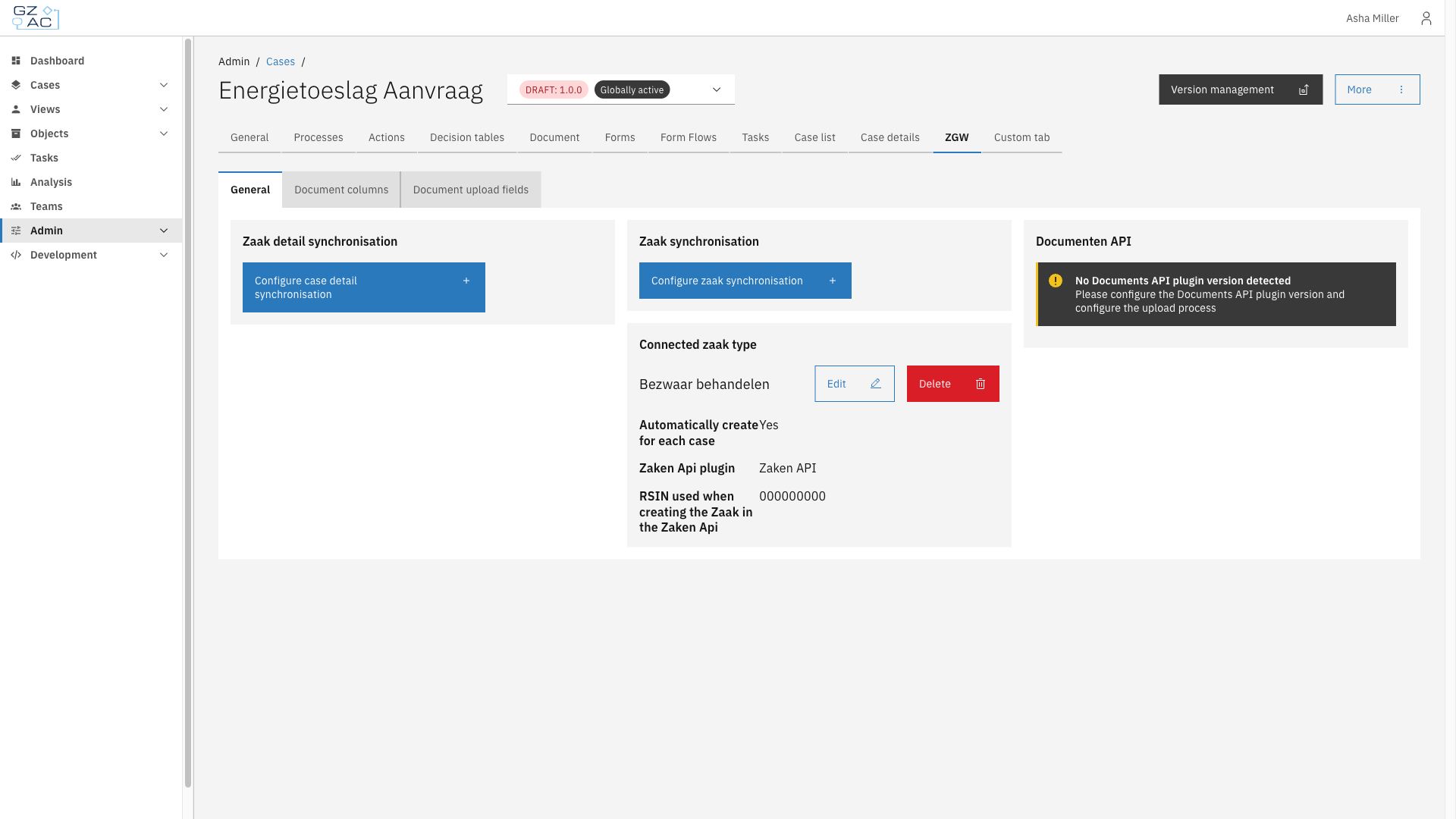
Four independent tiles make up this sub-tab:
* **Zaak detail synchronisation** — synchronizes case details to an object in the Objecten API, based on an Object management configuration
* **Zaak synchronisation** — synchronizes the case's assignee and notes to zaak roles and zaak notes in the Zaken API
* **Documenten API** — shows the Documenten API plugin version detected for the case (read-only)
* **Connected zaak type** — links the case type to a zaaktype and a Zaken API plugin configuration, used to create a zaak for each case
***
## Configuring general ZGW settings
{% stepper %}
{% step %}
Expand **Admin** in the left sidebar
{% endstep %}
{% step %}
Click **Cases** under the Configuration section
{% endstep %}
{% step %}
Click a case definition to open it
{% endstep %}
{% step %}
Click the **ZGW** tab, then the **General** sub-tab
General sub-tab tiles
{% endstep %}
{% endstepper %}
{% hint style="info" %}
These settings apply to the selected case definition version and can only be edited on a draft version.
{% endhint %}
### Connecting a zaak type
{% stepper %}
{% step %}
On the **Connected zaak type** tile, click **Link zaak type** (or **Edit** if a zaak type is already connected)
{% endstep %}
{% step %}
Fill in the zaak type details:
Connect zaak type modal
| Property | Description |
| ------------------------------------------------- | ------------------------------------------------------------------------------------- |
| Select zaak type for case | The zaaktype from the linked Open Zaak / catalogi registration |
| Select Zaken Api plugin for case | The Zaken API plugin configuration used to create the zaak |
| RSIN used when creating the Zaak in the Zaken Api | The organisation's RSIN |
| Automatically create for each case | When enabled, a zaak is created automatically whenever a case of this type is started |
| {% endstep %} | |
{% step %}
Click **Save**
{% endstep %}
{% endstepper %}
Click **Delete** on the tile to remove the link. This takes effect immediately, without a confirmation step.
### Configuring zaak detail synchronisation
{% stepper %}
{% step %}
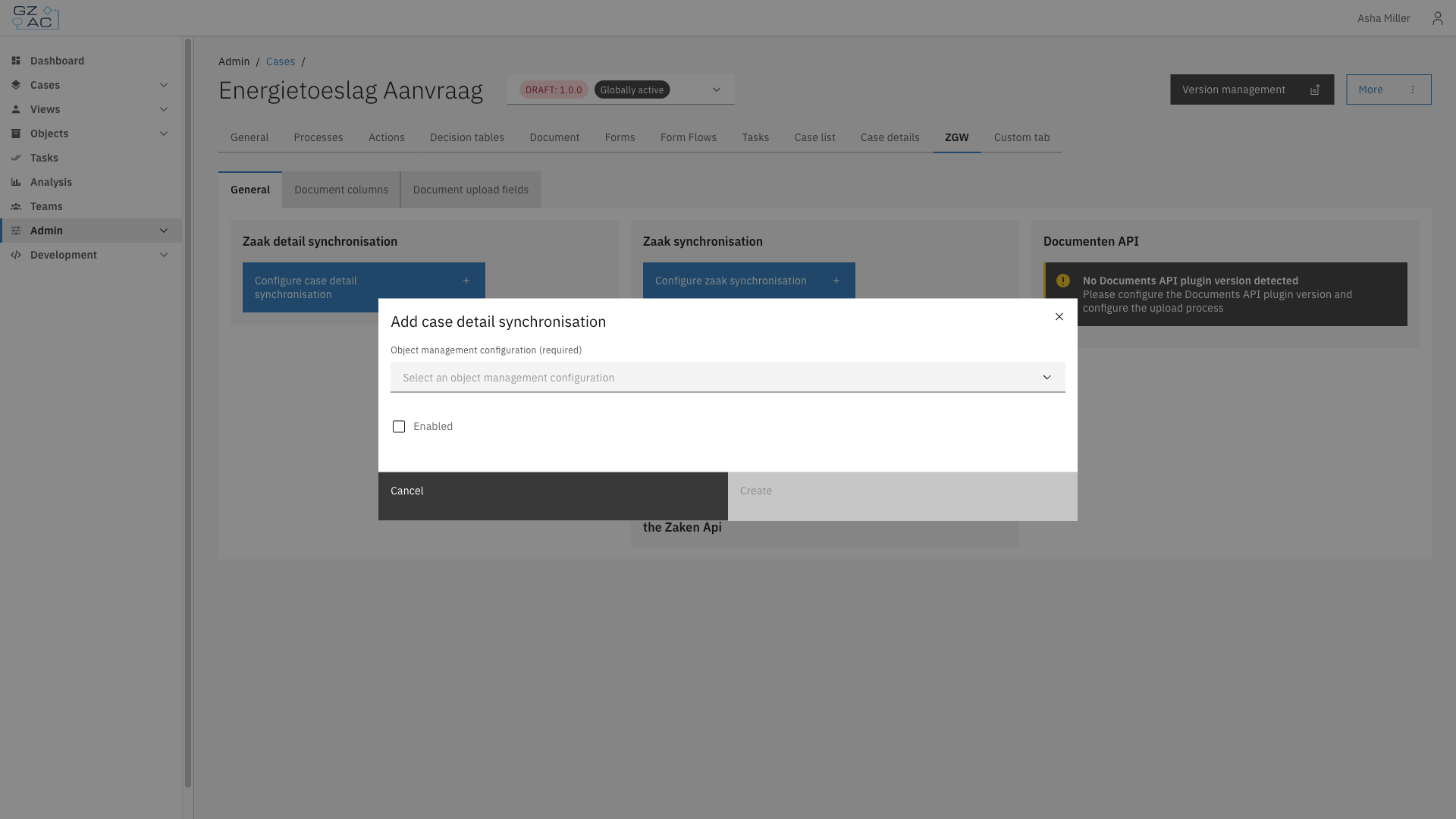
On the **Zaak detail synchronisation** tile, click **Configure case detail synchronisation**
{% endstep %}
{% step %}
Select an **Object management configuration** and enable synchronisation:
Case detail synchronisation modal
{% endstep %}
{% step %}
Click **Create**
{% endstep %}
{% endstepper %}
Once configured, use **Edit** or **Delete** on the tile to change or remove the synchronisation.
### Configuring zaak synchronisation
{% stepper %}
{% step %}
On the **Zaak synchronisation** tile, click **Configure zaak synchronisation**
{% endstep %}
{% step %}
Configure which case data synchronizes to the zaak:
| Property | Description |
| ------------------------------ | ---------------------------------------------------------------- |
| Sync case assignee as ZaakRol | Toggle, plus the Roltype URL to use when creating the role |
| Sync case notes as ZaakNotitie | Toggle, plus the ZaakNotitie subject to use when creating a note |
| {% endstep %} | |
{% step %}
Click **Create**
{% endstep %}
{% endstepper %}
### Documenten API version
The **Documenten API** tile shows the version of the Documenten API plugin detected for the case, based on the process linked for file uploads (see [Link upload process to case](/configuration-guides/cases/general.md#link-upload-process-to-case)). This tile is read-only. If no version is detected, or multiple conflicting versions are detected, a warning explains what needs to be configured.