> For the complete documentation index, see [llms.txt](https://docs.valtimo.nl/llms.txt). Markdown versions of documentation pages are available by appending `.md` to page URLs; this page is available as [Markdown](https://docs.valtimo.nl/configuration-guides/cases/zgw/document-upload-fields.md).
# Document upload fields
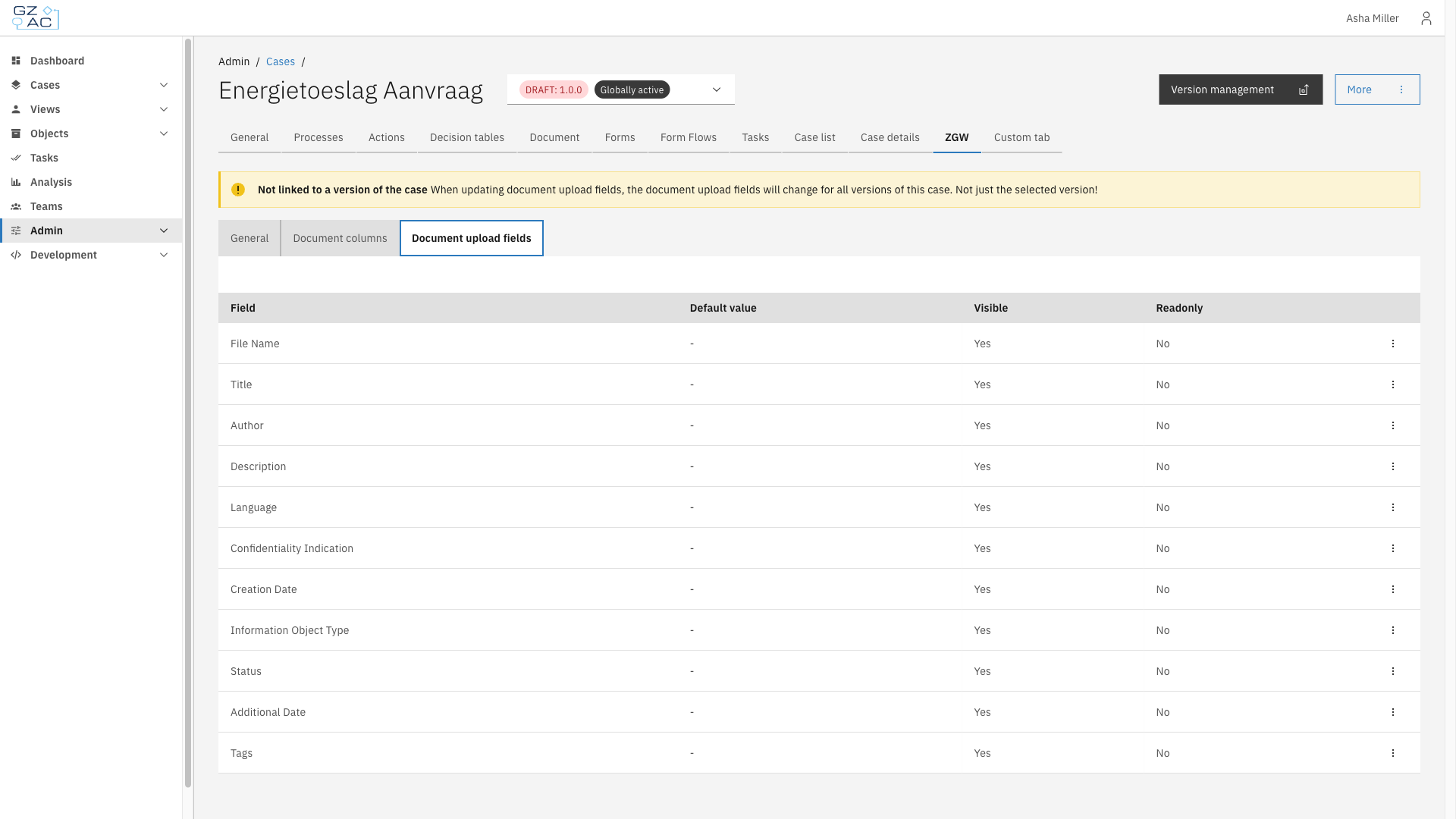
The Document upload fields sub-tab configures the default value, visibility, and read-only state of the fields shown to users when uploading a document to a case.
Unlike [Document columns](/configuration-guides/cases/zgw/document-columns.md), the list of upload fields is fixed — fields cannot be added or removed, only edited. Each field corresponds to a Documenten API document property, such as **Title**, **Language**, or **Status**.
***
## Configuration
{% stepper %}
{% step %}
Expand **Admin** in the left sidebar
{% endstep %}
{% step %}
Click **Cases** under the Configuration section
{% endstep %}
{% step %}
Click a case definition to open it
{% endstep %}
{% step %}
Click the **ZGW** tab, then the **Document upload fields** sub-tab
Document upload fields list
{% endstep %}
{% endstepper %}
The list shows every upload field with its configured **Default value**, **Visible**, and **Readonly** state.
{% hint style="info" %}
Document upload fields apply to the case definition as a whole. Changes affect every version of the case, not just the version currently selected.
{% endhint %}
### Editing a field
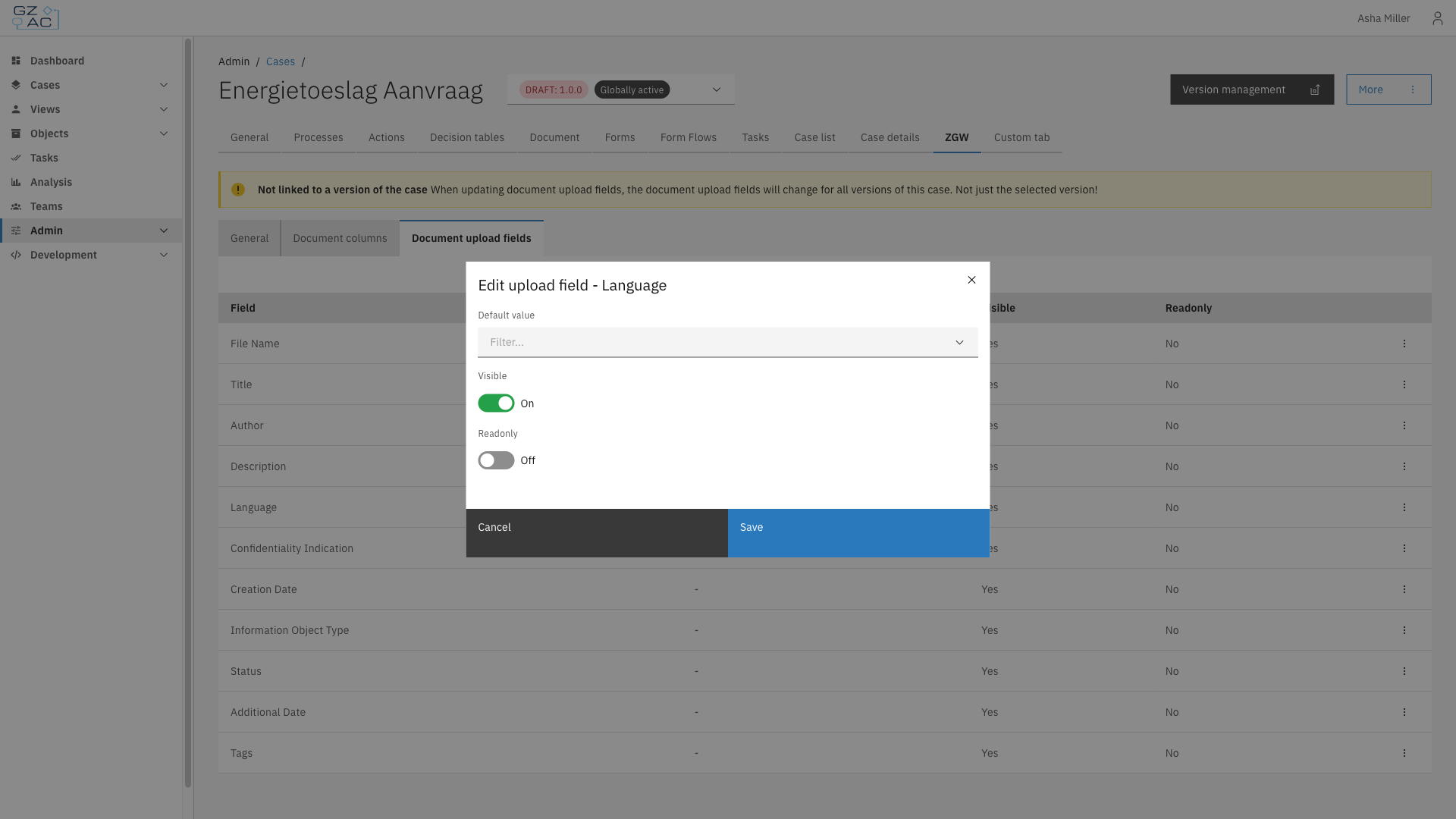
Click a row, or use its overflow menu (⋮), to edit a field:
Edit upload field modal
| Property | Description |
| ------------- | ------------------------------------------------------------------------------------------------------------------------------------------------------------------------------------------------------------------------------ |
| Default value | Pre-filled value for this field on the upload form. The input type depends on the field — for example, a language or document status picker, or a plain text input. Fields such as creation date have no default value option. |
| Visible | Whether the field appears on the upload form |
| Readonly | Whether users can change the field's value on the upload form |
Click **Save** to apply changes.
{% hint style="info" %}
The **Information object type** field can always be edited, regardless of whether the case definition version is a draft.
{% endhint %}