> For the complete documentation index, see [llms.txt](https://docs.valtimo.nl/llms.txt). Markdown versions of documentation pages are available by appending `.md` to page URLs; this page is available as [Markdown](https://docs.valtimo.nl/configuration-guides/cases/zgw/document-columns.md).
# Document columns
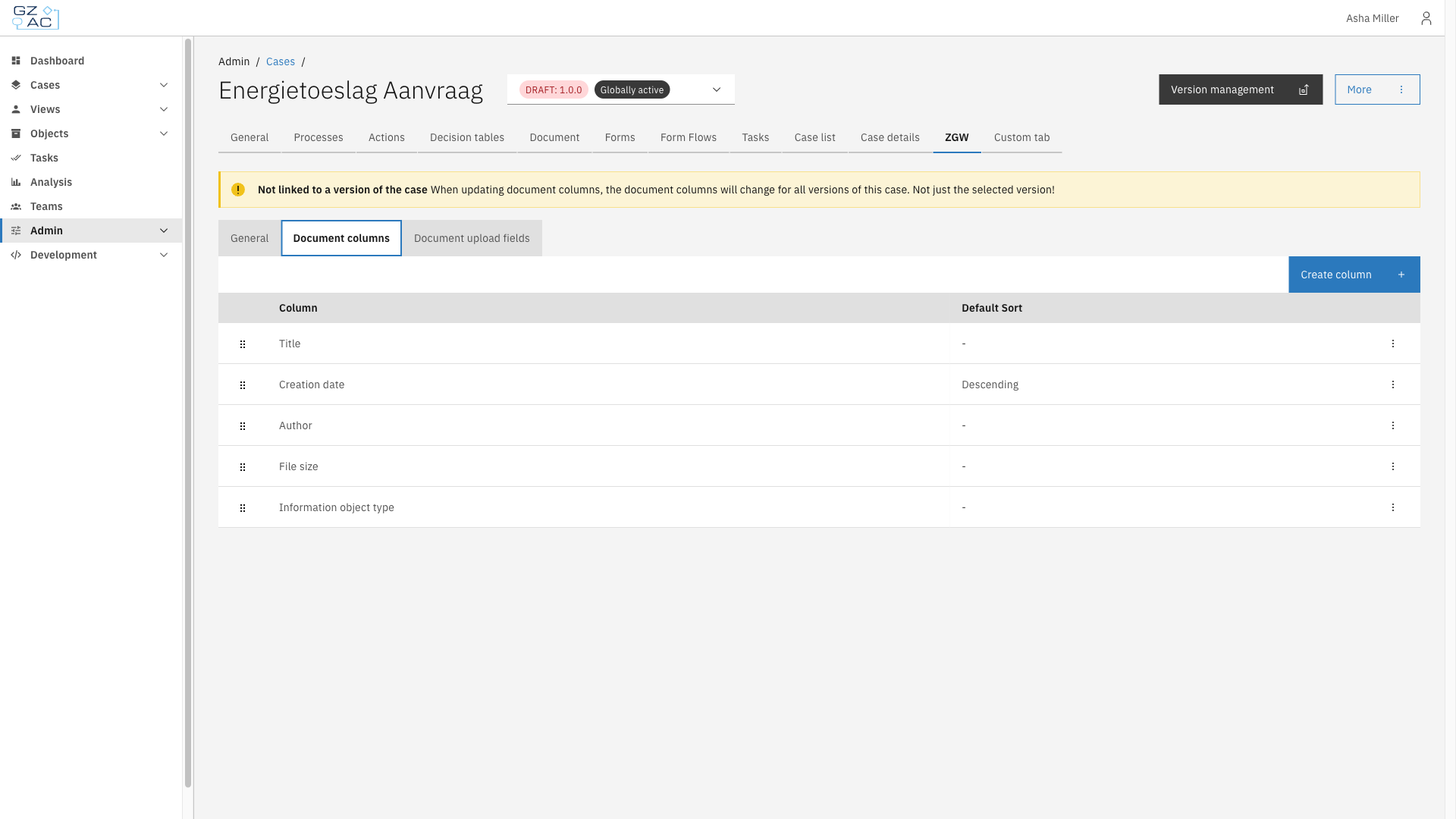
The Document columns sub-tab configures which columns appear in the case's document list, and which column is used as the default sort order.
Each configured column corresponds to a Documenten API document property, such as **Title**, **Creation date**, or **Author**. Not every column supports sorting — attempting to set a non-sortable column as the default sort shows a warning instead of sort options.
***
## Configuring ZGW document columns
{% stepper %}
{% step %}
Expand **Admin** in the left sidebar
{% endstep %}
{% step %}
Click **Cases** under the Configuration section
{% endstep %}
{% step %}
Click a case definition to open it
{% endstep %}
{% step %}
Click the **ZGW** tab, then the **Document columns** sub-tab
Document columns list
{% endstep %}
{% endstepper %}
The list shows every configured column with its default sort direction. Drag a row by its handle to reorder columns.
{% hint style="info" %}
Document columns apply to the case definition as a whole. Changes affect every version of the case, not just the version currently selected.
{% endhint %}
### Creating a column
{% stepper %}
{% step %}
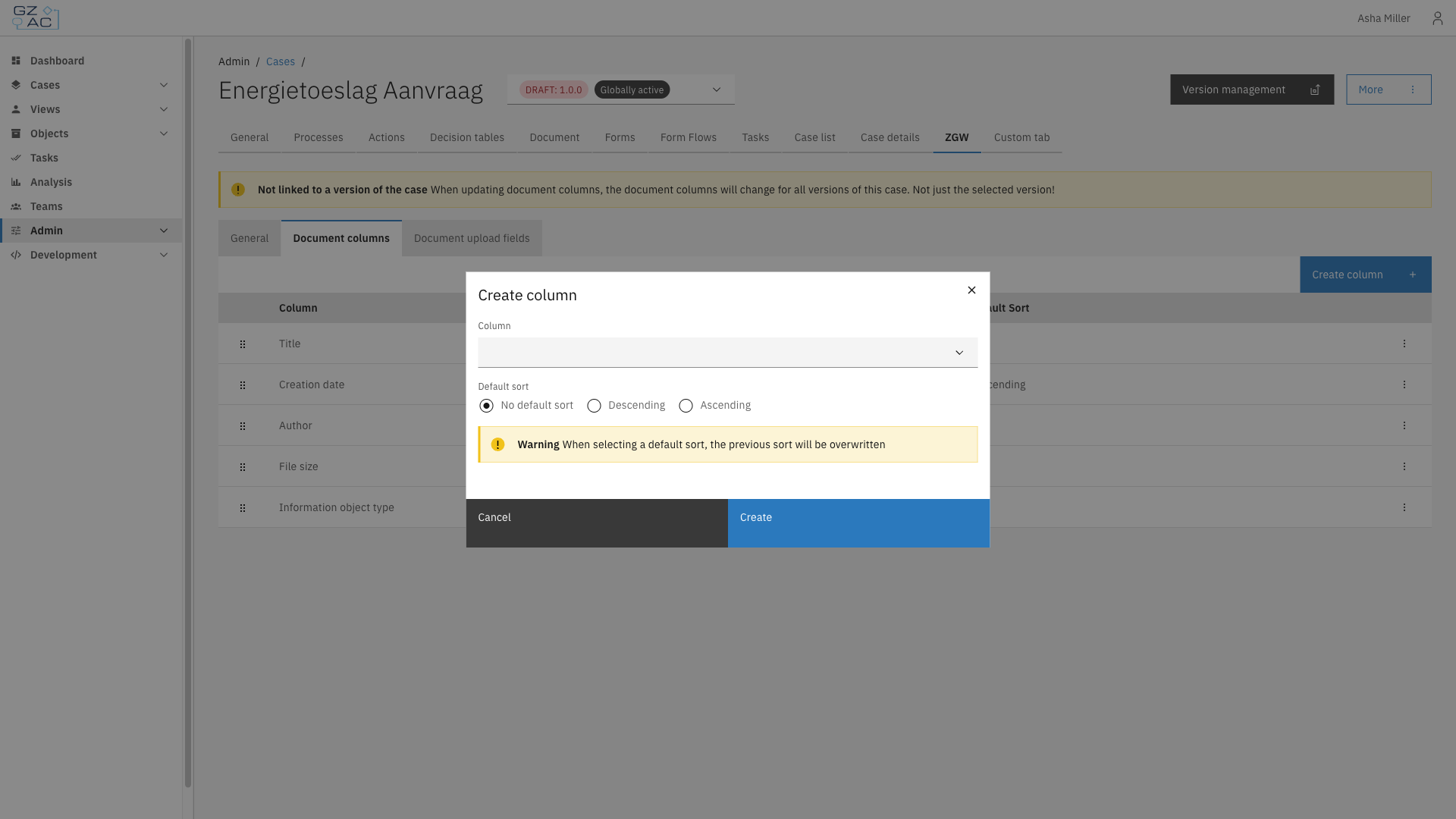
Click **Create column**
{% endstep %}
{% step %}
Select a **Column** from the list of properties not yet configured
{% endstep %}
{% step %}
If the column supports sorting, choose a **Default sort** — **No default sort**, **Descending**, or **Ascending**
Create column modal
{% hint style="warning" %}
Only one column can be the default sort at a time. Selecting a default sort on a new or edited column overwrites the previous default.
{% endhint %}
{% endstep %}
{% step %}
Click **Create**
{% endstep %}
{% endstepper %}
### Editing or deleting a column
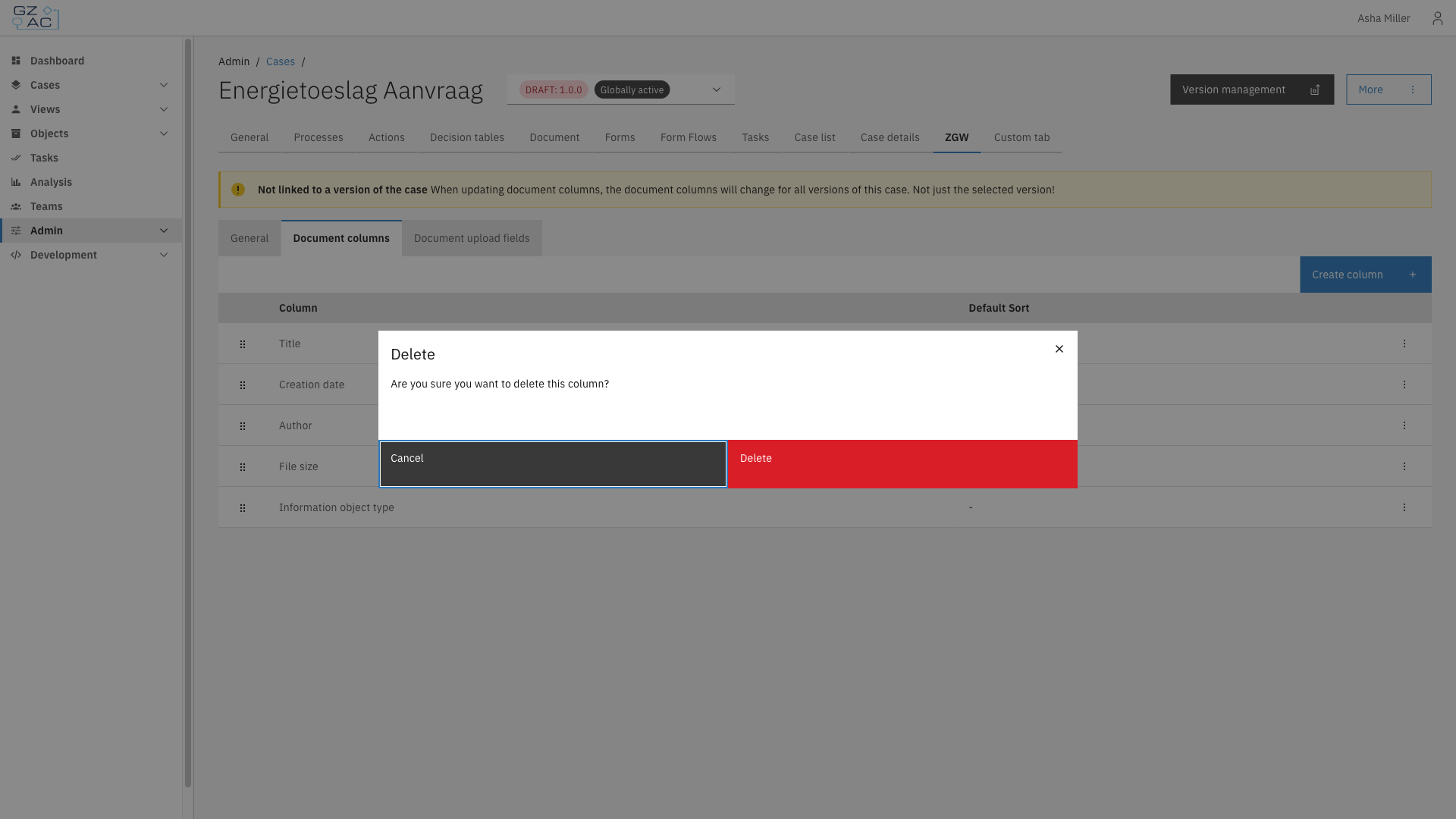
Click a row, or use its overflow menu (⋮), to **Edit** or **Delete** a column. When editing, the **Column** field is locked to the existing property. Deleting a column requires confirmation: