> For the complete documentation index, see [llms.txt](https://docs.valtimo.nl/llms.txt). Markdown versions of documentation pages are available by appending `.md` to page URLs; this page is available as [Markdown](https://docs.valtimo.nl/configuration-guides/cases/processes.md).
# Processes
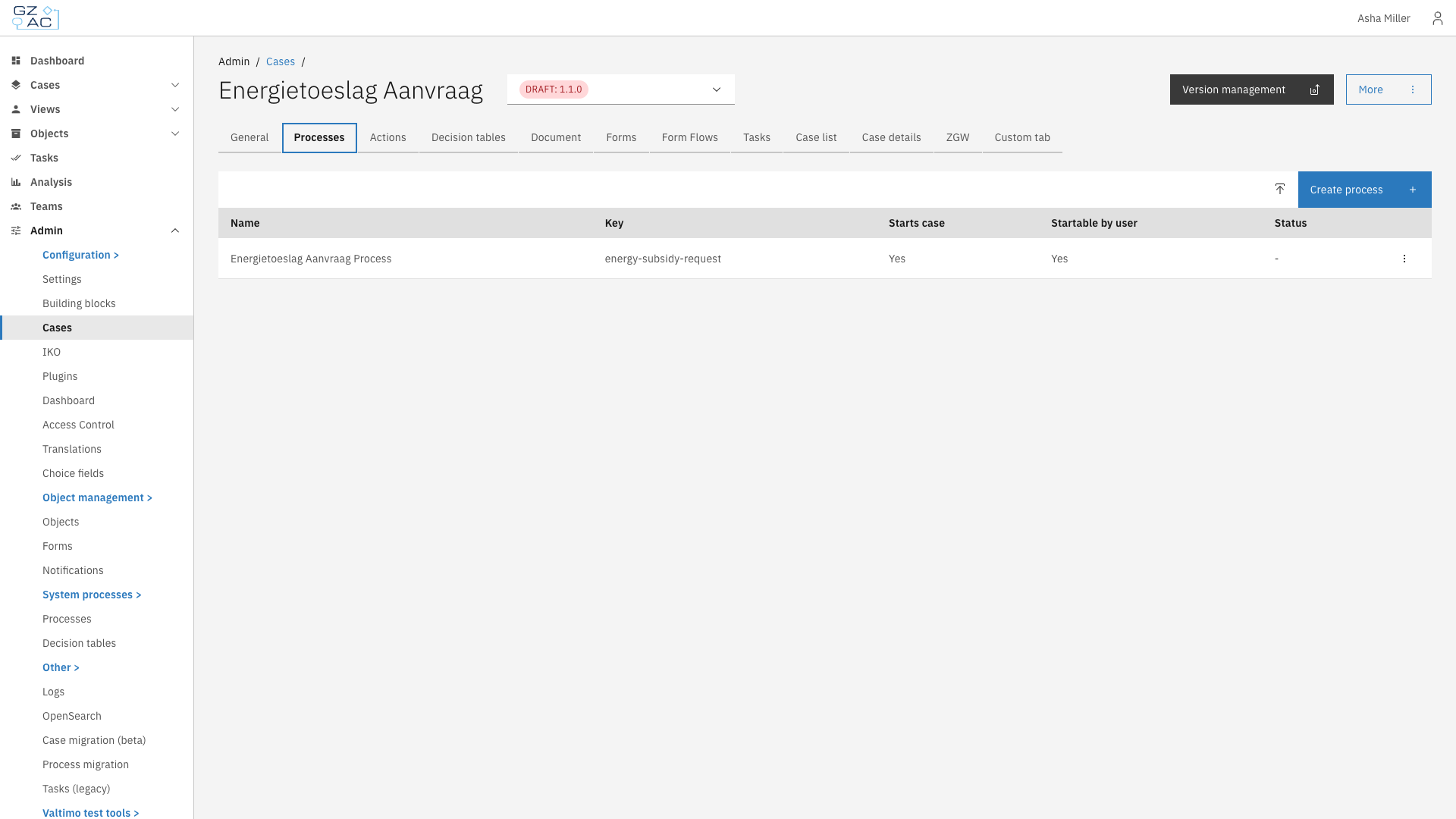
The Processes tab manages BPMN process definitions linked to the case definition.
Processes define the workflows that drive a case. Each case definition can have multiple linked processes that handle different aspects of case processing.
## Configuring processes
{% stepper %}
{% step %}
Expand **Admin** in the left sidebar
{% endstep %}
{% step %}
Click **Cases** under the Configuration section
{% endstep %}
{% step %}
Click a case definition to open it
{% endstep %}
{% step %}
Click the **Processes** tab
Processes tab overview
{% endstep %}
{% endstepper %}
### Creating a new process
{% stepper %}
{% step %}
Click **Create process**
{% endstep %}
{% step %}
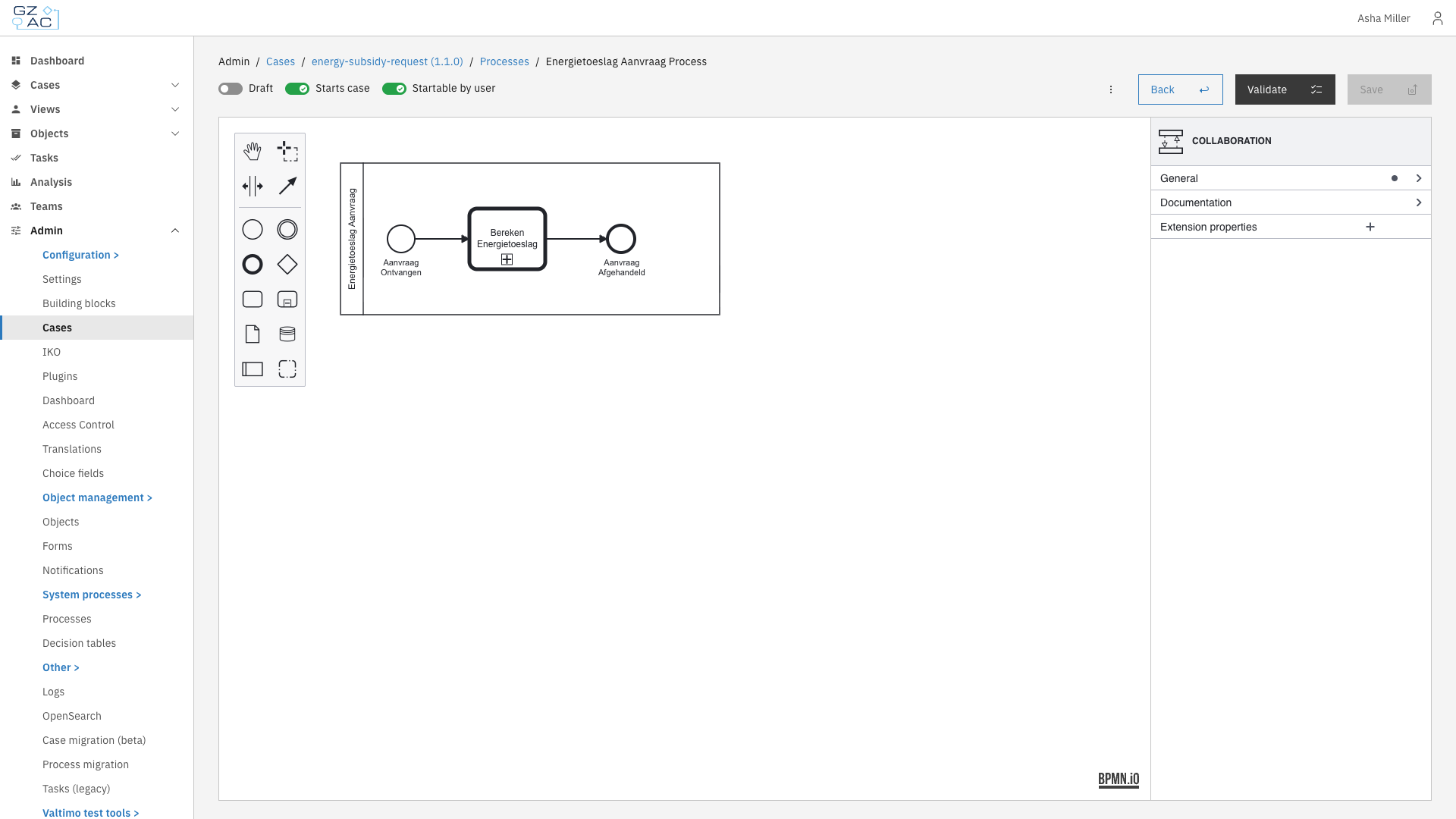
Design your process using the BPMN modeler
Process builder
{% endstep %}
{% step %}
Configure process settings using the toggles in the header
{% endstep %}
{% step %}
Click **Save** to deploy
{% endstep %}
{% endstepper %}
### Uploading a process
{% stepper %}
{% step %}
Click the upload button in the toolbar
{% endstep %}
{% step %}
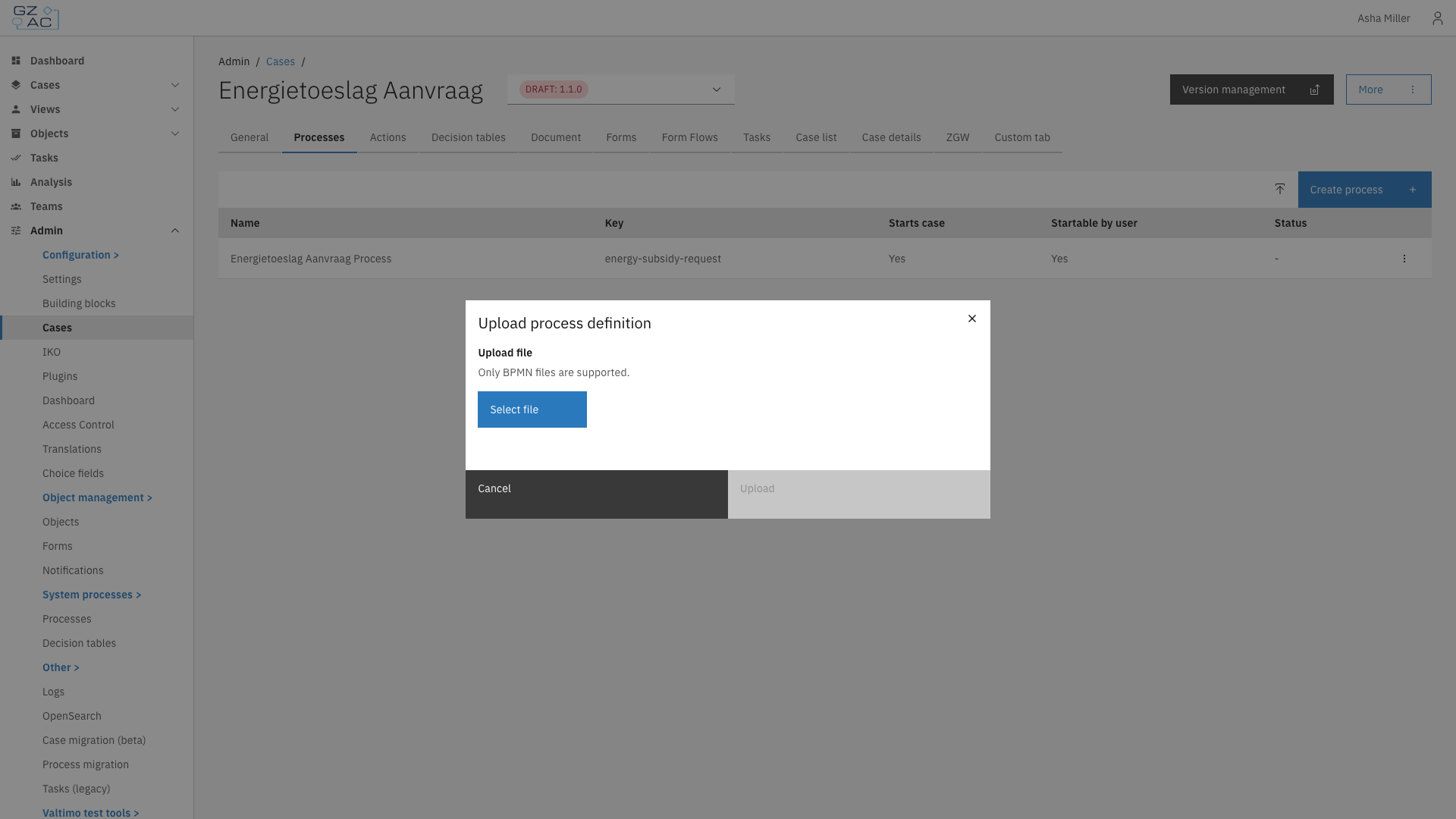
Select a `.bpmn` file from your computer
Upload process modal
{% endstep %}
{% step %}
Click **Upload**
{% endstep %}
{% endstepper %}
{% hint style="info" %}
If you upload a process with a key that already exists, the existing process will be replaced.
{% endhint %}
### Editing a process
{% stepper %}
{% step %}
Click on a process row to open the process builder
{% endstep %}
{% step %}
Make changes in the BPMN modeler
{% endstep %}
{% step %}
Click **Save** to deploy changes
{% endstep %}
{% endstepper %}
### Deleting a process
{% stepper %}
{% step %}
Hover over the process row to reveal the overflow menu
{% endstep %}
{% step %}
Click the overflow menu (three dots)
{% endstep %}
{% step %}
Select **Delete**
{% endstep %}
{% step %}
Confirm deletion in the confirmation dialog
{% endstep %}
{% endstepper %}
## Process settings
The process builder header contains toggles to configure process behavior:
| Toggle | Description |
| --------------------- | --------------------------------------------------------------------------------------------------------------- |
| **Draft** | When enabled, the process is saved as a draft and requires additional confirmation before it can be started |
| **Starts case** | When enabled, starting this process creates a new case instance. A start form must be linked to the first step. |
| **Startable by user** | When enabled, users can start this process from the case detail page via the start menu |
## Process validation
Click **Validate** to check for errors before saving. Validation errors appear in a collapsible panel showing the element and issue. Fix any errors before deploying.
***
## Access control
Runtime access to processes is controlled through the following permissions.
### Resources and actions
| Resource type | Action | Effect |
| ------------------------------------------------------- | -------- | --------------------------------------------------- |
| `com.ritense.document.domain.impl.JsonSchemaDocument` | `view` | Required to view process instances linked to a case |
| `com.ritense.valtimo.operaton.domain.OperatonExecution` | `create` | Required to start a process |
### Examples
Permission to view process instances for cases
```json
{
"resourceType": "com.ritense.document.domain.impl.JsonSchemaDocument",
"action": "view",
"conditions": []
}
```
Permission to start any process
```json
{
"resourceType": "com.ritense.valtimo.operaton.domain.OperatonExecution",
"action": "create",
"conditions": []
}
```
Permission to start a specific process
```json
{
"resourceType": "com.ritense.valtimo.operaton.domain.OperatonExecution",
"action": "create",
"conditions": [
{
"type": "field",
"field": "processDefinitionKey",
"operator": "==",
"value": "my-process-key"
}
]
}
```