> For the complete documentation index, see [llms.txt](https://docs.valtimo.nl/llms.txt). Markdown versions of documentation pages are available by appending `.md` to page URLs; this page is available as [Markdown](https://docs.valtimo.nl/configuration-guides/cases/decision-tables.md).
# Decision tables
The Decision tables tab lets you manage DMN decision tables for automated business decisions within the case definition.
A decision table encodes business rules as a structured table: given one or more input values (process variables), the table evaluates the matching rule and returns an output. Decision tables follow the [DMN (Decision Model and Notation)](https://www.omg.org/dmn/) standard and are executed automatically as part of a process.
Use decision tables to separate business logic from process flow — for example, to determine eligibility, calculate a fee, or classify a request based on its attributes.
***
## Configuring decision tables
{% stepper %}
{% step %}
Expand **Admin** in the left sidebar
{% endstep %}
{% step %}
Click **Cases** under the Configuration section
{% endstep %}
{% step %}
Click a case definition to open it
{% endstep %}
{% step %}
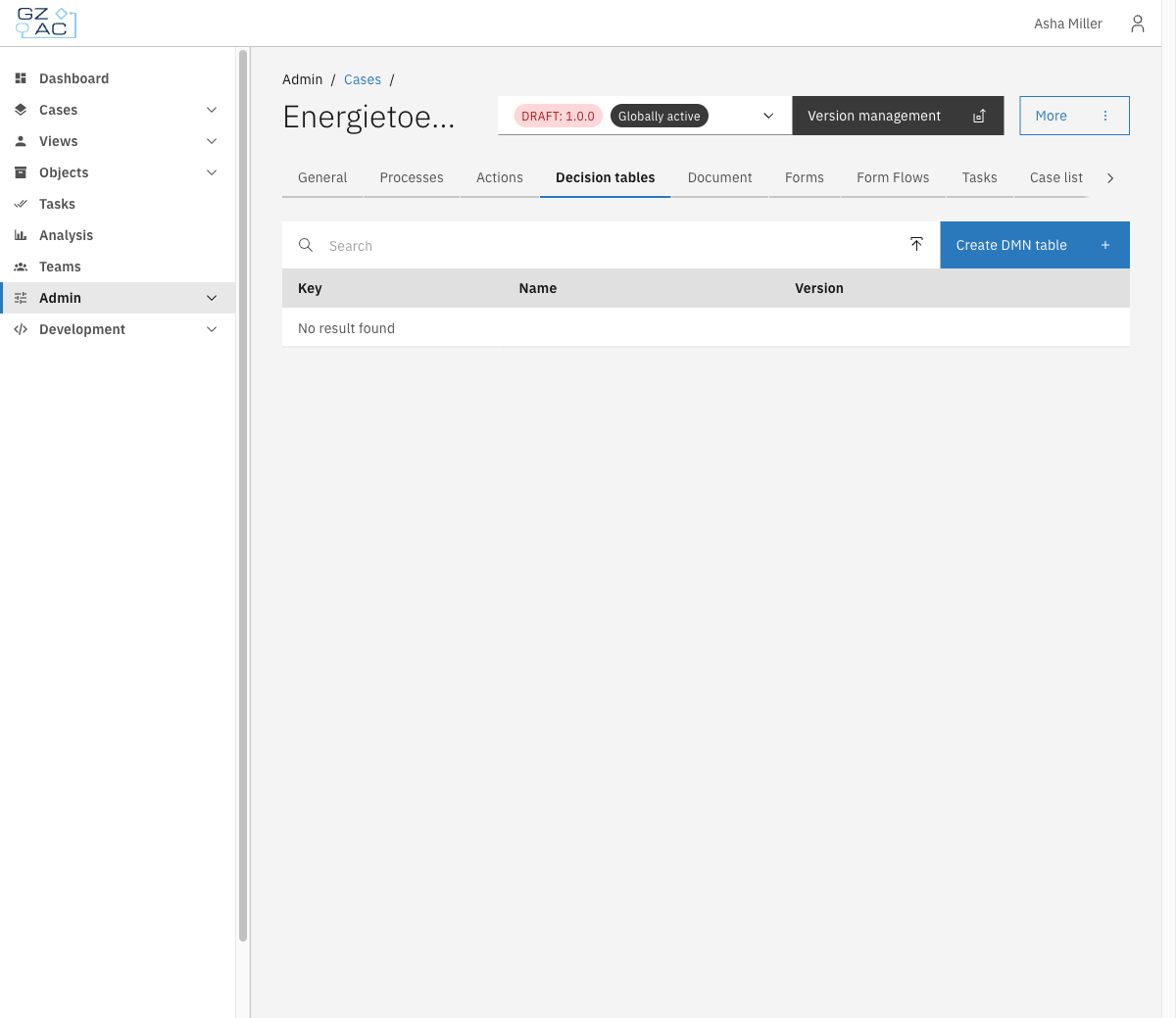
Click the **Decision tables** tab
Decision tables tab empty state
{% endstep %}
{% endstepper %}
### Creating a new decision table
{% stepper %}
{% step %}
Click **Create DMN table** in the toolbar
{% endstep %}
{% step %}
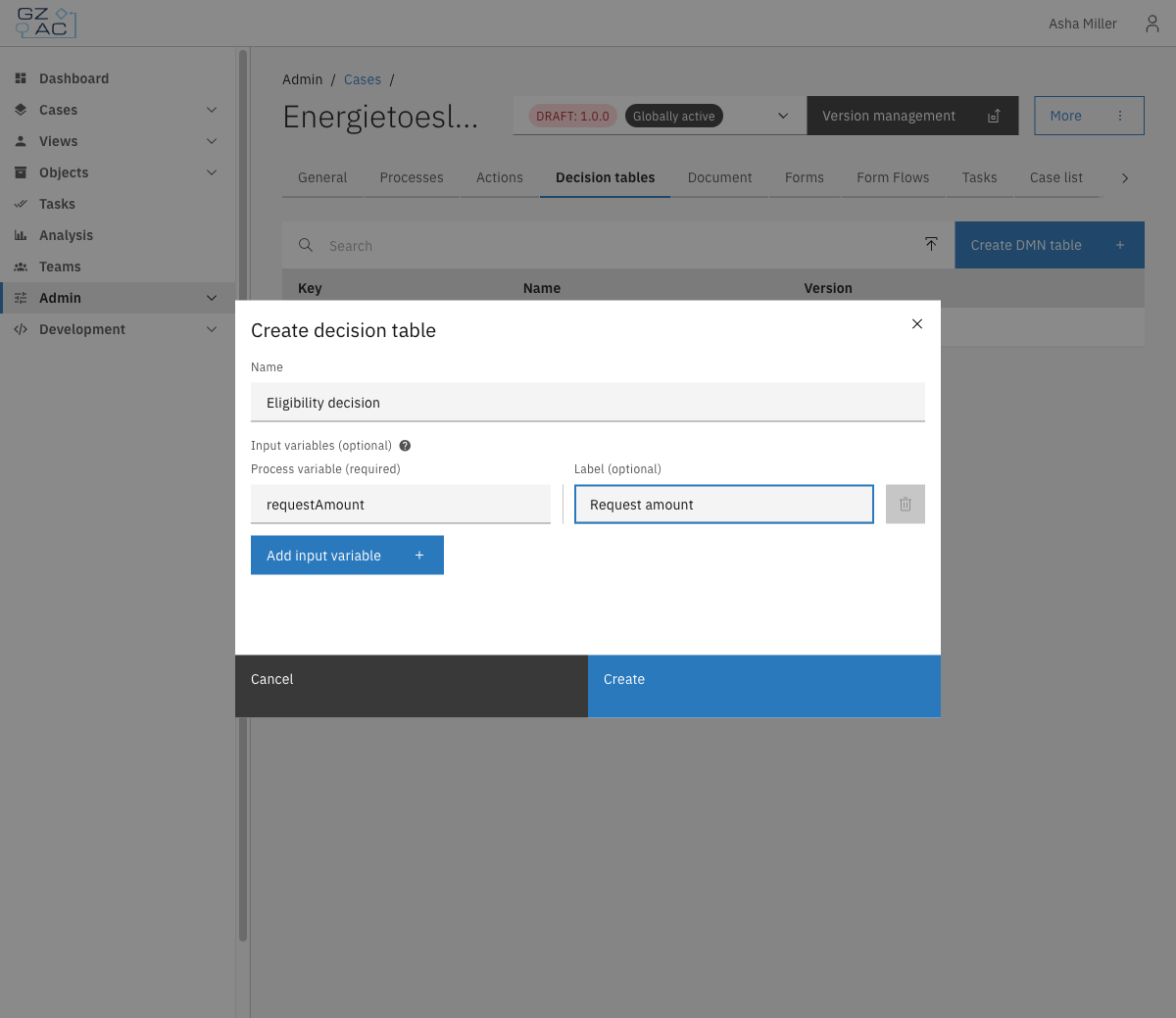
Fill in the form:
* **Name** — Display name for the decision table (e.g. *Eligibility decision*)
* **Input variables (optional)** — Add one row per process variable that will be used as input in the table. For each row, enter:
* **Process variable** (required) — The variable name from the process (e.g. `requestAmount`)
* **Label** (optional) — A human-readable column header shown in the DMN editor
| Property | Description |
| ---------------- | --------------------------------------------------------------------------- |
| Name | Display name for the decision table |
| Process variable | Name of the process variable used as an input column (e.g. `requestAmount`) |
| Label | Human-readable column header shown in the DMN editor (optional) |
Create decision table modal
{% endstep %}
{% step %}
Click **Create**
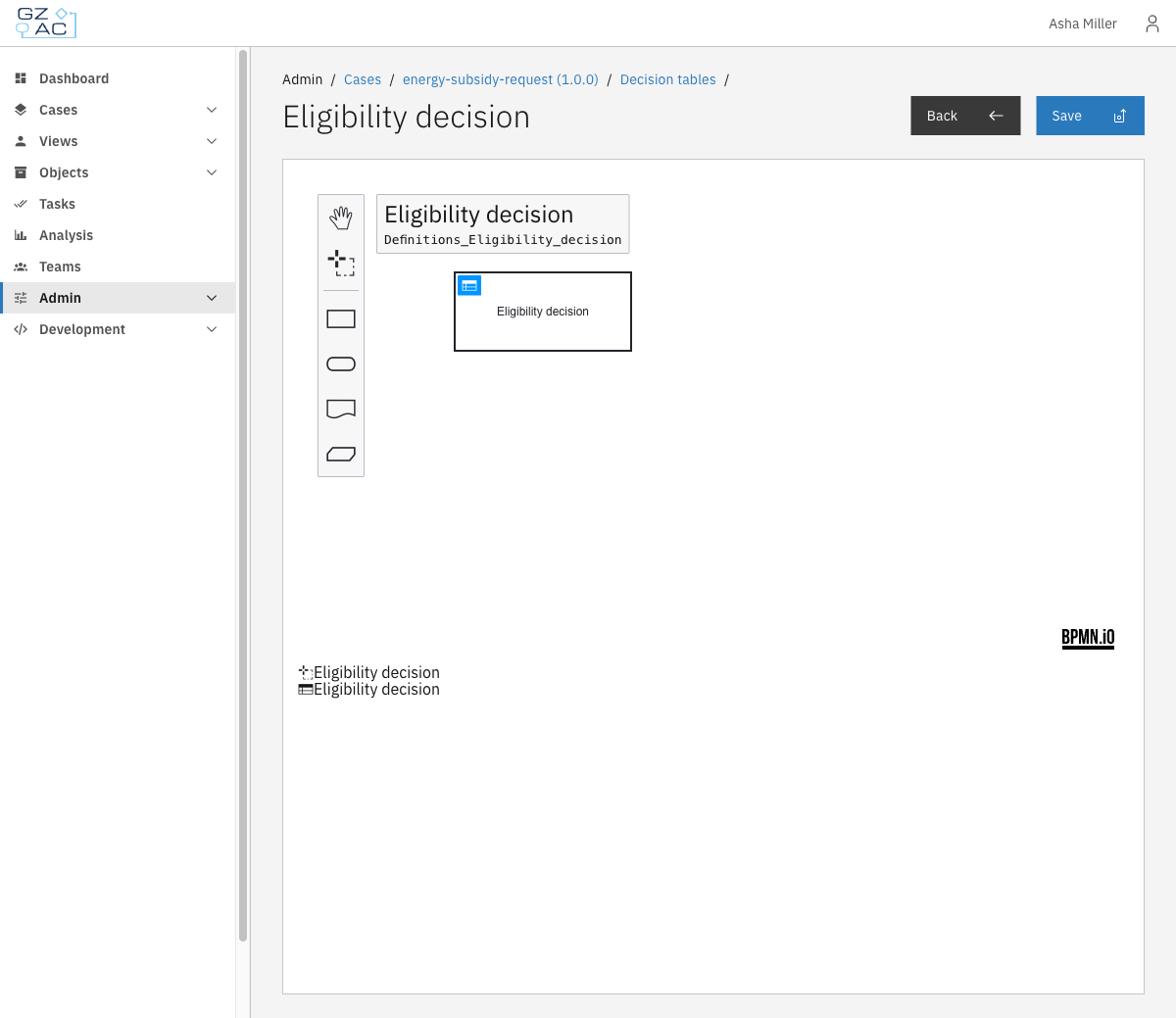
The DMN modeler opens. Design the decision logic in the editor and click **Save** to deploy the table.
{% endstep %}
{% endstepper %}
### Uploading an existing DMN file
{% stepper %}
{% step %}
Click the upload icon in the toolbar (next to the search field)
{% endstep %}
{% step %}
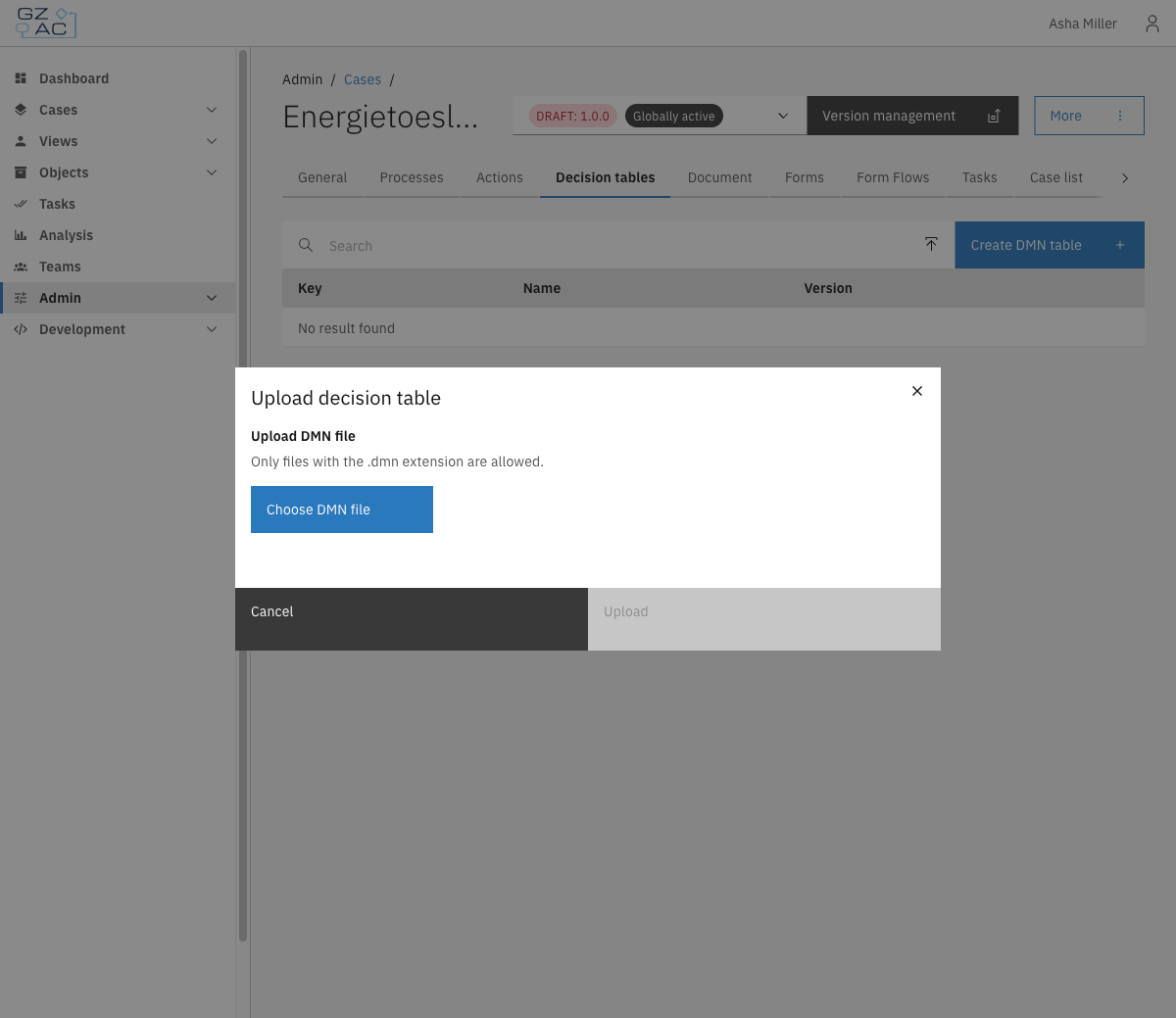
Click **Choose DMN file** and select a `.dmn` file from your system
Upload decision table modal
{% endstep %}
{% step %}
Click **Upload**
The file is deployed immediately and appears in the list.
{% endstep %}
{% endstepper %}
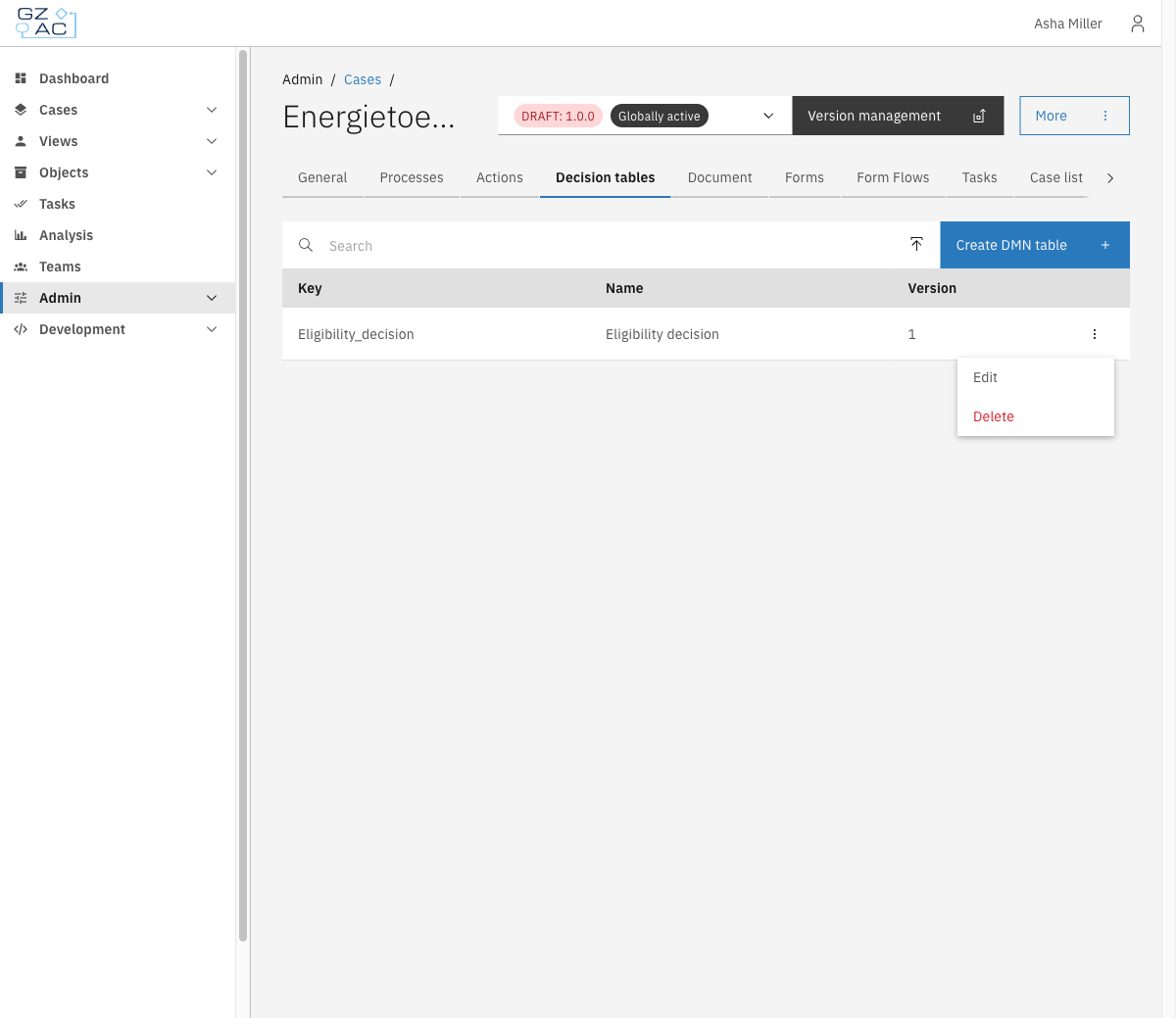
### Decision tables list
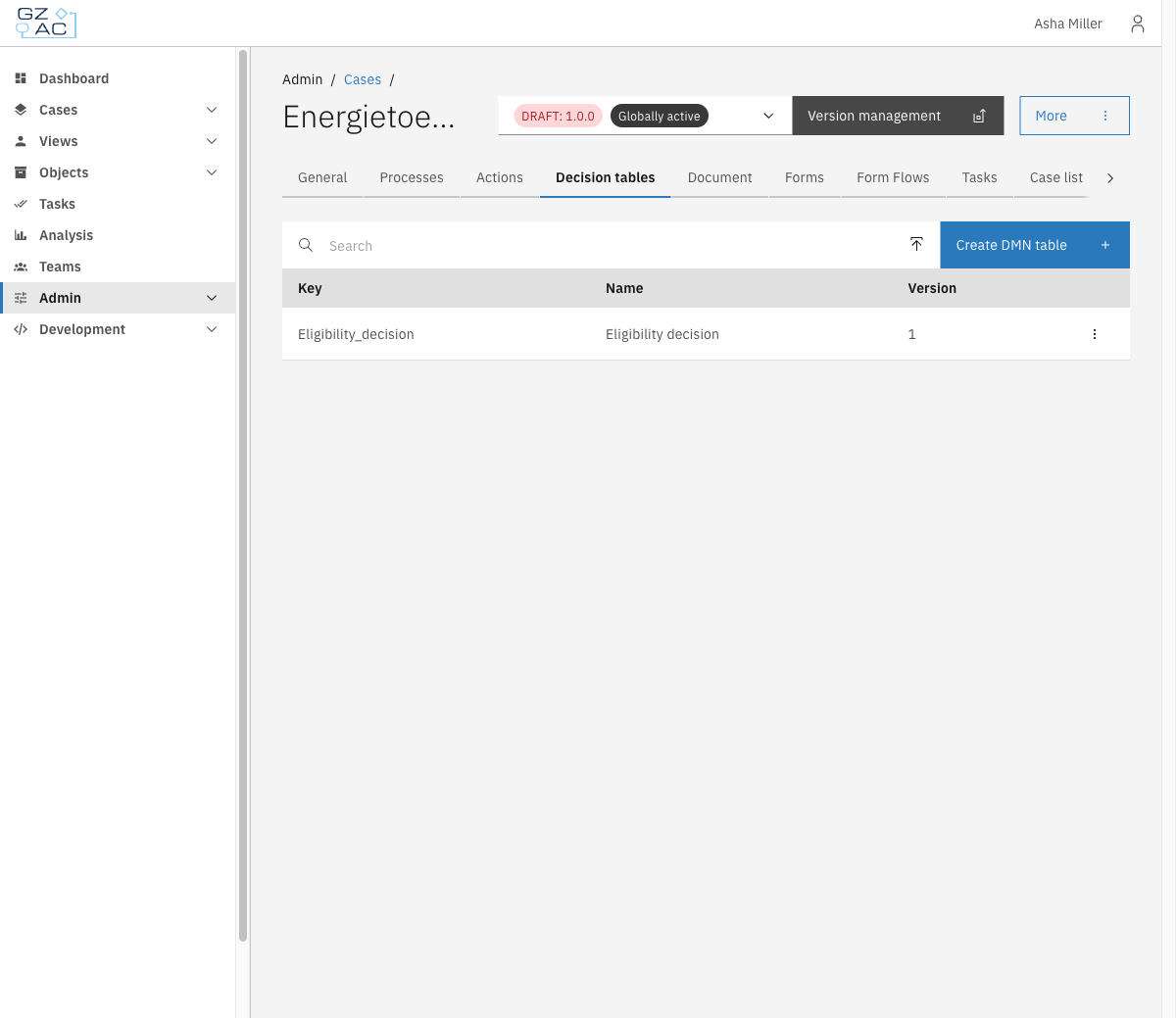
After adding one or more decision tables, the list shows each table's **Key**, **Name**, and **Version**.
Decision tables list
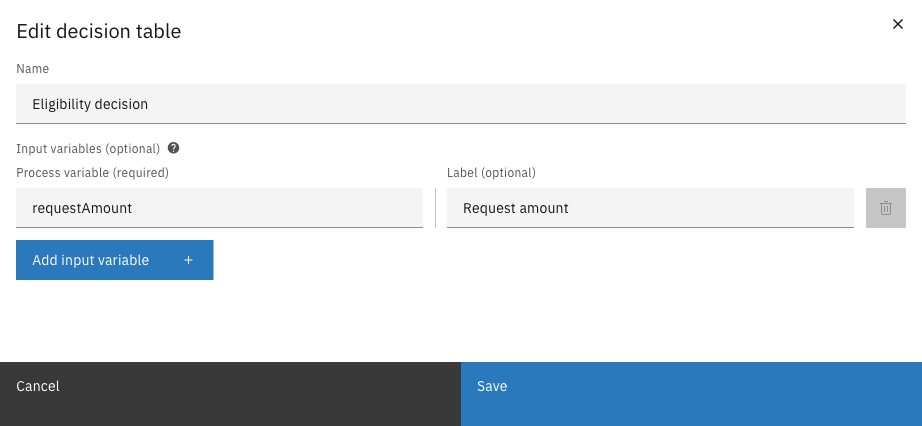
### Editing a decision table
To edit a decision table's properties:
{% stepper %}
{% step %}
Open the overflow menu (⋮) on the row
{% endstep %}
{% step %}
Click **Edit**
Edit decision table modal
{% endstep %}
{% step %}
Modify the decision table properties:
* **Name** — Update the display name
* **Input variables** — Add, remove, or modify input columns
{% endstep %}
{% step %}
Click **Save**
{% endstep %}
{% endstepper %}
To edit the decision logic itself, click directly on the row to open the DMN modeler.
DMN modeler
Modify the decision logic in the editor, then click **Save** to deploy the changes.
### Deleting a decision table
{% stepper %}
{% step %}
Open the overflow menu (⋮) on the row
Row overflow menu
{% endstep %}
{% step %}
Click **Delete**
{% endstep %}
{% step %}
Confirm the deletion in the modal
{% endstep %}
{% endstepper %}
{% hint style="warning" %}
Deleting a decision table cannot be undone. Any process that relies on it will stop functioning correctly.
{% endhint %}