> For the complete documentation index, see [llms.txt](https://docs.valtimo.nl/llms.txt). Markdown versions of documentation pages are available by appending `.md` to page URLs; this page is available as [Markdown](https://docs.valtimo.nl/configuration-guides/cases/case-details/tags.md).
# Tags
The Tags sub-tab manages the labels that users can attach to individual cases from the case detail page, to mark them for follow-up, categorization, or filtering purposes.
Tags apply only to the case definition version you're configuring.
***
## Configuring tags
{% stepper %}
{% step %}
Expand **Admin** in the left sidebar
{% endstep %}
{% step %}
Click **Cases** under the Configuration section
{% endstep %}
{% step %}
Click a case definition to open it
{% endstep %}
{% step %}
Click the **Case details** tab, then the **Tags** sub-tab
Tags list
{% endstep %}
{% endstepper %}
The list shows every configured tag with its name, key, and color. Drag a row by its handle to reorder tags.
{% hint style="info" %}
Tags can only be created, edited, or deleted on a draft case version. Published versions are read-only.
{% endhint %}
### Creating a tag
{% stepper %}
{% step %}
Click **Create tag**
{% endstep %}
{% step %}
Fill in the tag details:
Create tag modal
| Property | Description |
| ------------- | ---------------------------------------------------------------------------------------------------------------------- |
| Name | Display name for the tag. The **Key** is generated from this automatically; click the pencil icon to edit it manually. |
| Color | Tag color |
| {% endstep %} | |
{% step %}
Click **Create**
{% endstep %}
{% endstepper %}
### Editing or deleting a tag
{% stepper %}
{% step %}
Click a row, or use its overflow menu (⋮), to **Edit** or **Delete** a tag
{% endstep %}
{% step %}
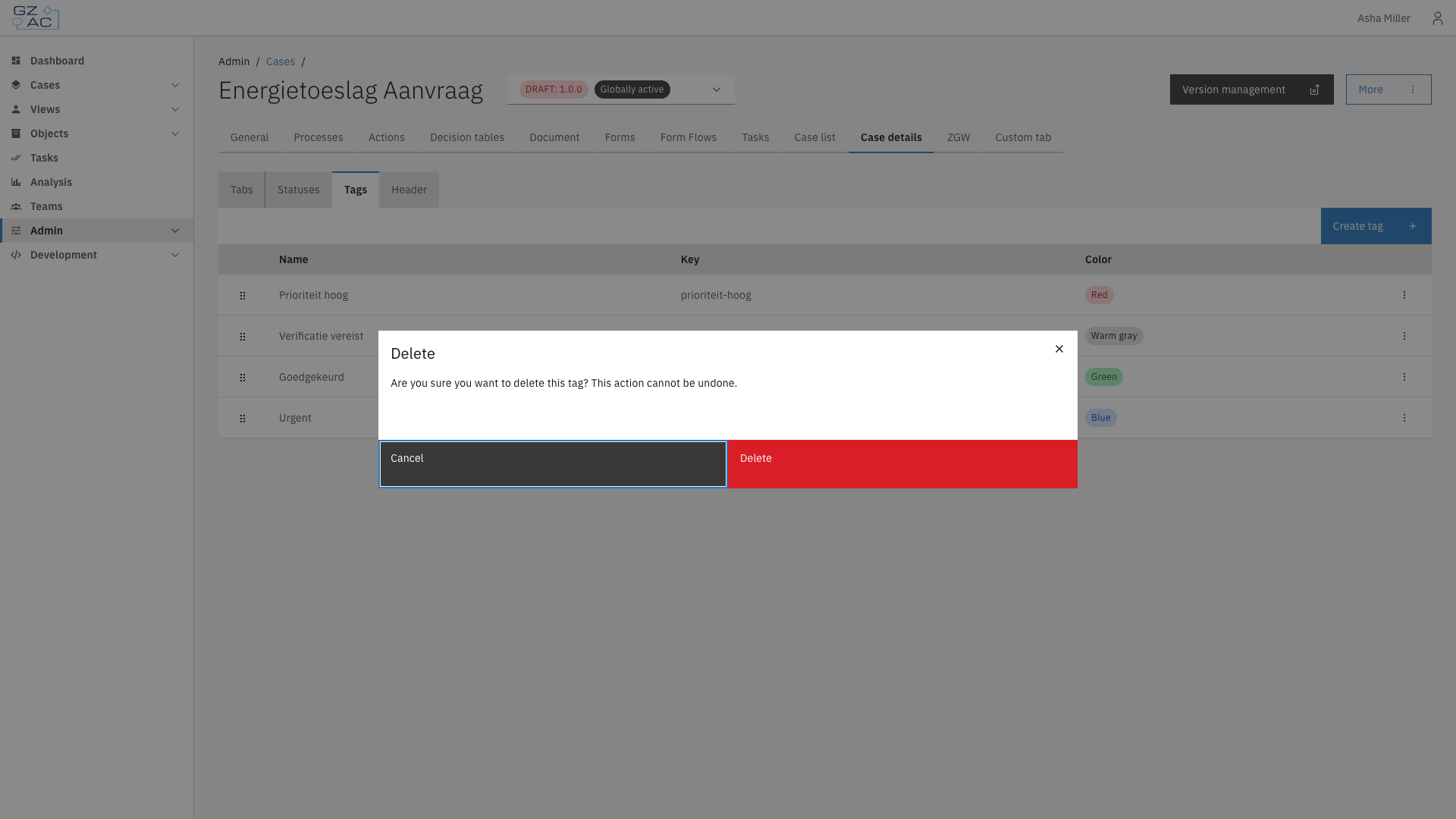
Deleting a tag requires confirmation:
Delete confirmation modal
{% endstep %}
{% endstepper %}
{% hint style="warning" %}
Deleting a tag cannot be undone. Cases that had the tag attached lose it.
{% endhint %}