> For the complete documentation index, see [llms.txt](https://docs.valtimo.nl/llms.txt). Markdown versions of documentation pages are available by appending `.md` to page URLs; this page is available as [Markdown](https://docs.valtimo.nl/configuration-guides/building-blocks/migration.md).
# Migration
Every version of a building block publishes its own process model and data structure, so a running building block has to be moved onto a new version explicitly. The **Migration** tab of a building block version holds the migration plans that describe those moves.
Building block plans use the same editor as case migration plans, but they are never started by hand: a building block lives inside a case, so its plans run when a case migration moves a building block onto the plan's version.
{% hint style="info" %}
The concepts, editor tabs, and source and target rules are documented under [Cases > Migration](/configuration-guides/cases/migration.md). This page covers only what differs for building blocks.
{% endhint %}
***
## Finding the migration screen
{% stepper %}
{% step %}
Expand **Admin** in the left sidebar
{% endstep %}
{% step %}
Click **Building blocks** under the Configuration section
{% endstep %}
{% step %}
Click a building block to open it
{% endstep %}
{% step %}
Select the version to migrate instances into
{% endstep %}
{% step %}
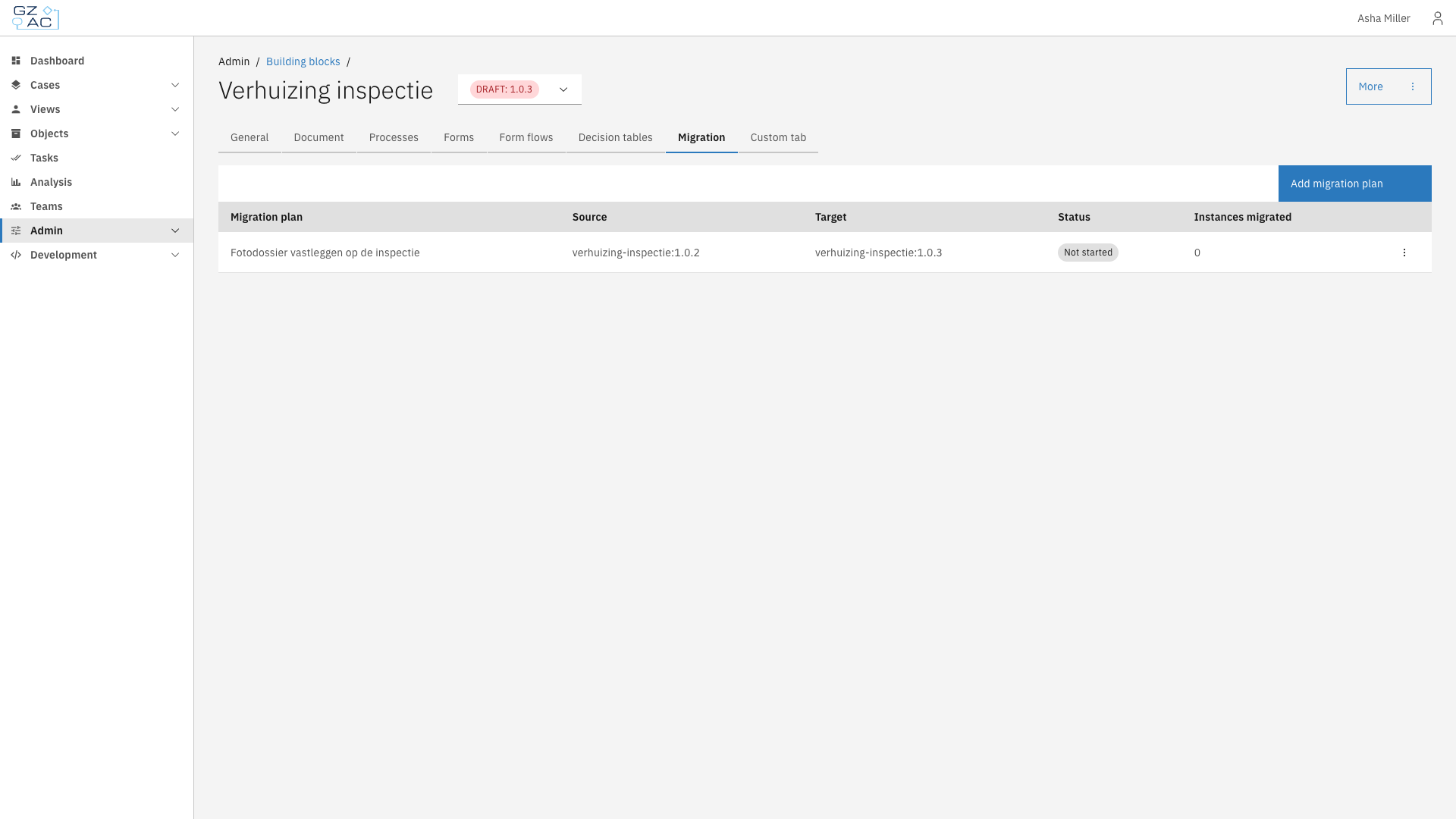
Click the **Migration** tab
Building block migration tab
{% endstep %}
{% endstepper %}
The list shows every migration plan for that version:
| Column | Description |
| ------------------ | ------------------------------------------------------------------------------------- |
| Migration plan | The plan's title |
| Source | The building block version the plan migrates instances from |
| Target | The version the plan migrates instances into — always the version the plan belongs to |
| Status | **Not started** until the plan has migrated an instance, **Completed** once it has |
| Instances migrated | How many building block instances the plan has migrated |
{% hint style="info" %}
A building block plan has no run of its own, so the status never reads Running or Completed with errors. It is a running total of the instances the plan has been applied to, not the outcome of a run.
{% endhint %}
***
## Differences from case migration
When this plan runs
| Aspect | Building block plans |
| --------------------------- | ------------------------------------------------------------------------------------------------------------------------------------------------------------------------------- |
| Triggers | None. The **General** tab shows **When this plan runs** instead, explaining that the plan is applied automatically by a case migration |
| Conditions | None. The plan applies to every building block instance the case migration brings onto this version |
| Manual start | Not available. There is no **Start migration now** button |
| Dry run | Not available on this tab. Dry-run the case migration instead: it walks the same chain of building block plans and reports the same problems |
| Results | No start or finish time, and no list of errors or warnings. A failure fails the case migration that triggered it and is reported there, because the case did not migrate either |
| Source | A **Source building block** and **Source version**. Naming a different building block makes this plan the bridge that carries its running instances over to this one |
| Add / Remove building block | The owner is the migrating building block, so these tabs nest a building block inside it, or dissolve a nested one |
***
## Chaining plans
A chain of migration plans has to connect the version a building block instance is on to the version a case links it at. One plan may declare the whole jump, or there may be one plan per step — including a step that changes nothing, because each version publishes its own process model.
{% hint style="warning" %}
If nothing connects the two versions, or if more than one chain does, the case migration fails rather than guess, and the whole case is left untouched. Run the case migration as a dry run to check the chain before starting it.
{% endhint %}
See [Cases > Migration > Building blocks](/configuration-guides/cases/migration/building-blocks.md) for how a case decides which building block version its blocks should move to.