> For the complete documentation index, see [llms.txt](https://docs.valtimo.nl/llms.txt). Markdown versions of documentation pages are available by appending `.md` to page URLs; this page is available as [Markdown](https://docs.valtimo.nl/configuration-guides/building-blocks/forms.md).
# Forms
The Forms tab manages form definitions included in the building block. Forms defined here can be linked to user tasks in the building block's processes.
***
## Configuring forms
{% stepper %}
{% step %}
Go to **Admin** > **Building blocks**
{% endstep %}
{% step %}
Click on a building block to open its configuration
{% endstep %}
{% step %}
Click the **Forms** tab
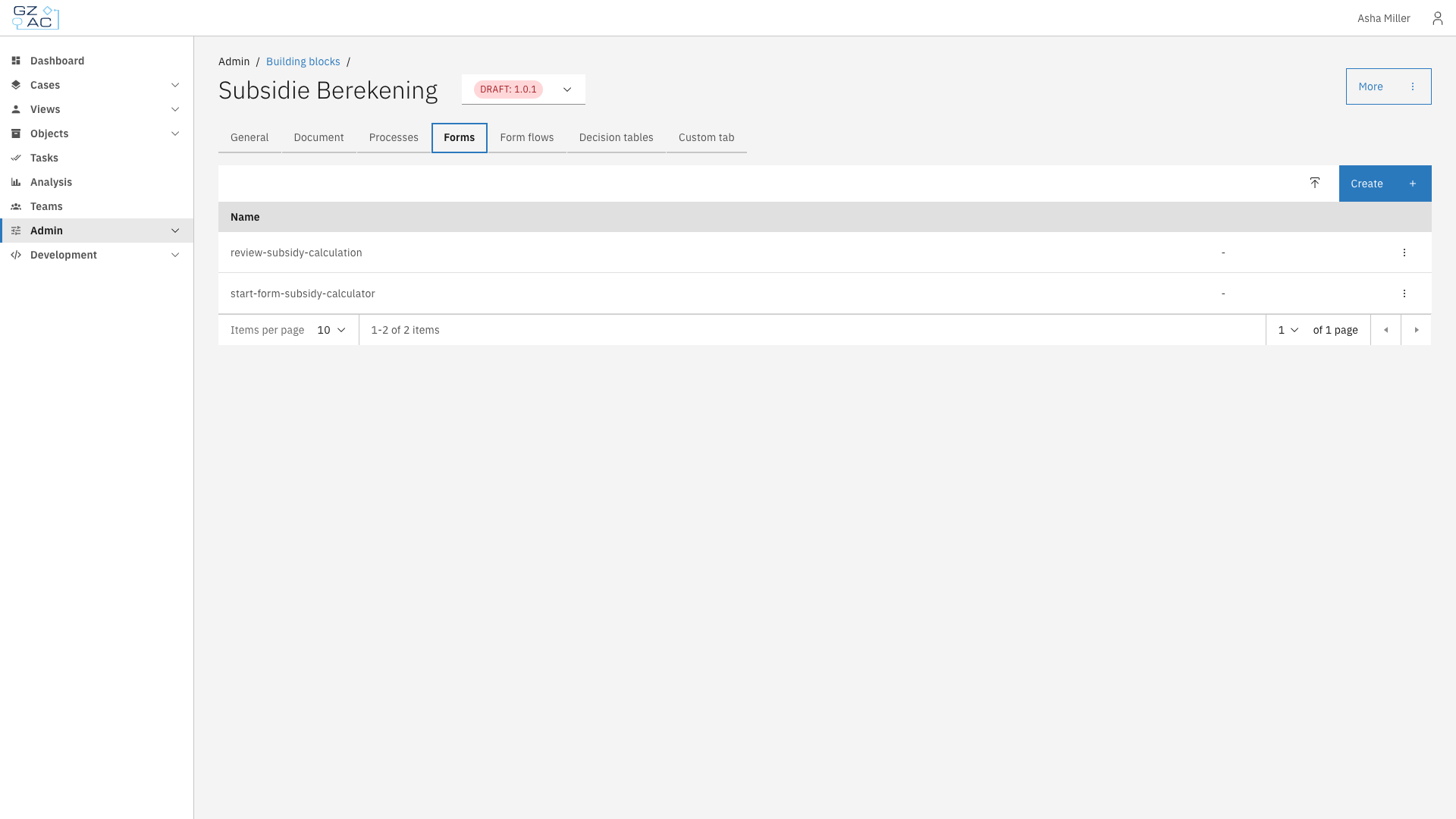
Forms tab showing list of forms
{% endstep %}
{% endstepper %}
The forms list displays all forms included in the building block. Each row shows:
| Column | Description |
| --------- | -------------------------------------------------------- |
| Name | The form definition name |
| Read-only | Tag indicating if the form is read-only (imported forms) |
***
### Creating a form
{% stepper %}
{% step %}
Click the **Create** button in the action bar
{% endstep %}
{% step %}
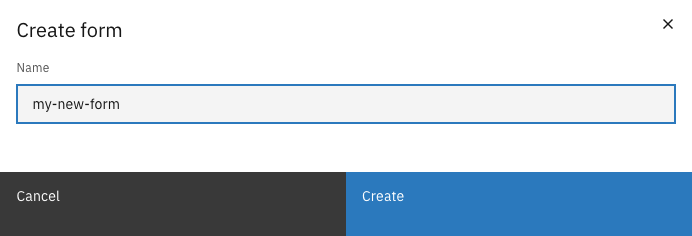
Enter a name for the form
Create form modal
{% endstep %}
{% step %}
Click **Create** to open the form builder
{% endstep %}
{% endstepper %}
***
### Editing a form
Click on a form row to open the form builder.
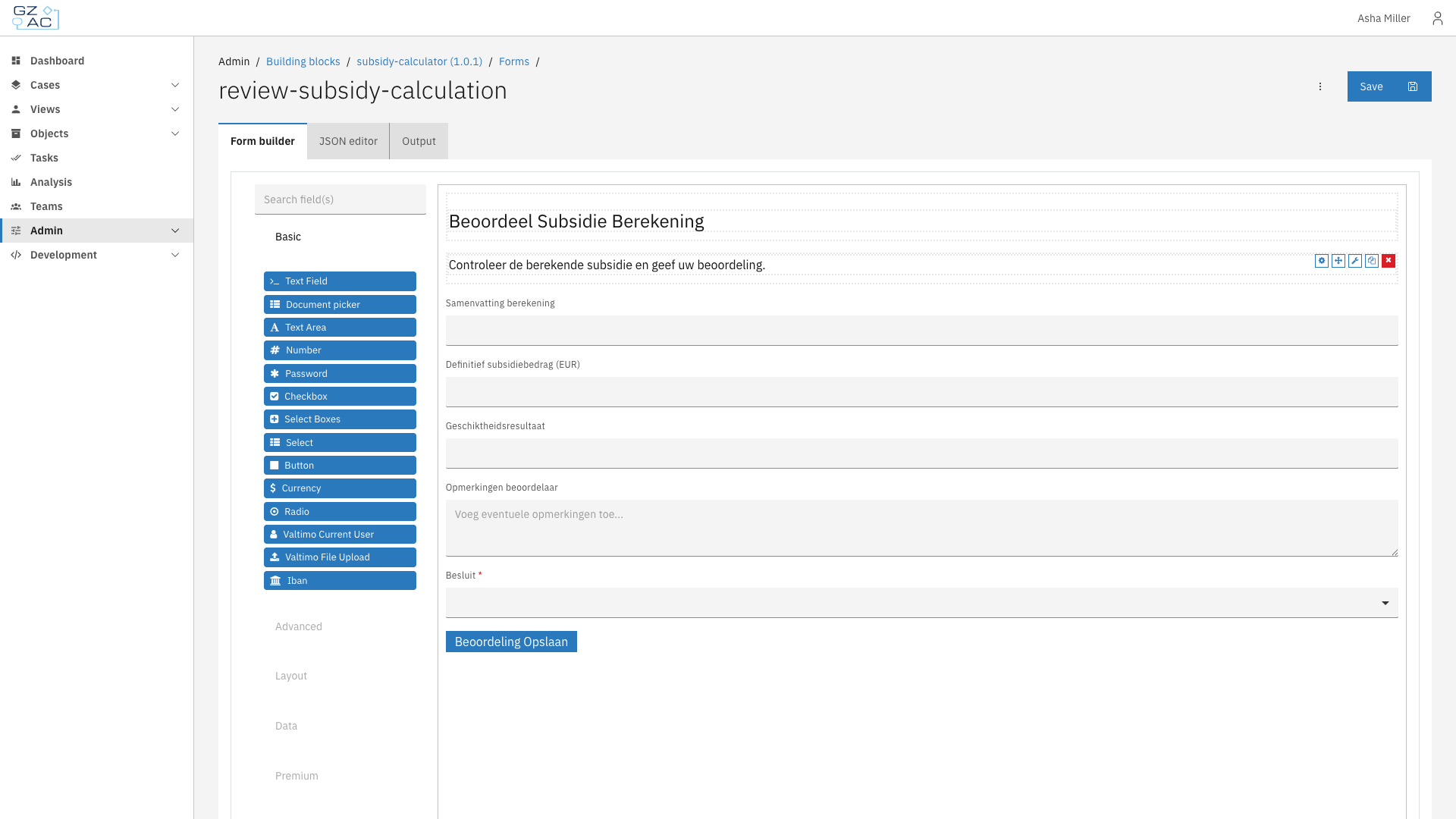
Form builder
The form builder has three tabs:
| Tab | Description |
| ------------ | ------------------------------------------ |
| Form builder | Visual drag-and-drop form designer |
| JSON editor | Direct JSON editing of the form definition |
| Output | Preview of the form's JSON output |
The left panel contains available field types organized by category:
* **Basic** — Text Field, Text Area, Number, Select, Checkbox, Radio, Button, etc.
* **Advanced** — Email, URL, Phone Number, Date/Time, etc.
* **Layout** — HTML Element, Content, Columns, Panel, Tabs, etc.
* **Data** — Hidden, Container, Data Map, etc.
* **Premium** — File, Nested Form, etc.
Drag fields from the left panel onto the form canvas to add them. Click on a field to configure its properties.
Click **Save** to save changes to the form.
***
### Uploading a form
{% stepper %}
{% step %}
Click the **Upload** button (icon next to Create)
{% endstep %}
{% step %}
Enter a name for the form
{% endstep %}
{% step %}
Click **Create** to open the form builder
{% endstep %}
{% step %}
Use the JSON editor tab to paste an existing form definition
{% endstep %}
{% step %}
Click **Save**
{% endstep %}
{% endstepper %}
***
### Deleting a form
Forms can be deleted via the overflow menu (three dots) on each row. Read-only forms and forms in finalized building block versions cannot be deleted.
***
***
## Form scope
Forms in a building block are scoped to that building block. They can reference fields from the building block's document schema and will be available for process links within the building block's processes.