> For the complete documentation index, see [llms.txt](https://docs.valtimo.nl/llms.txt). Markdown versions of documentation pages are available by appending `.md` to page URLs; this page is available as [Markdown](https://docs.valtimo.nl/configuration-guides/building-blocks/document.md).
# Document
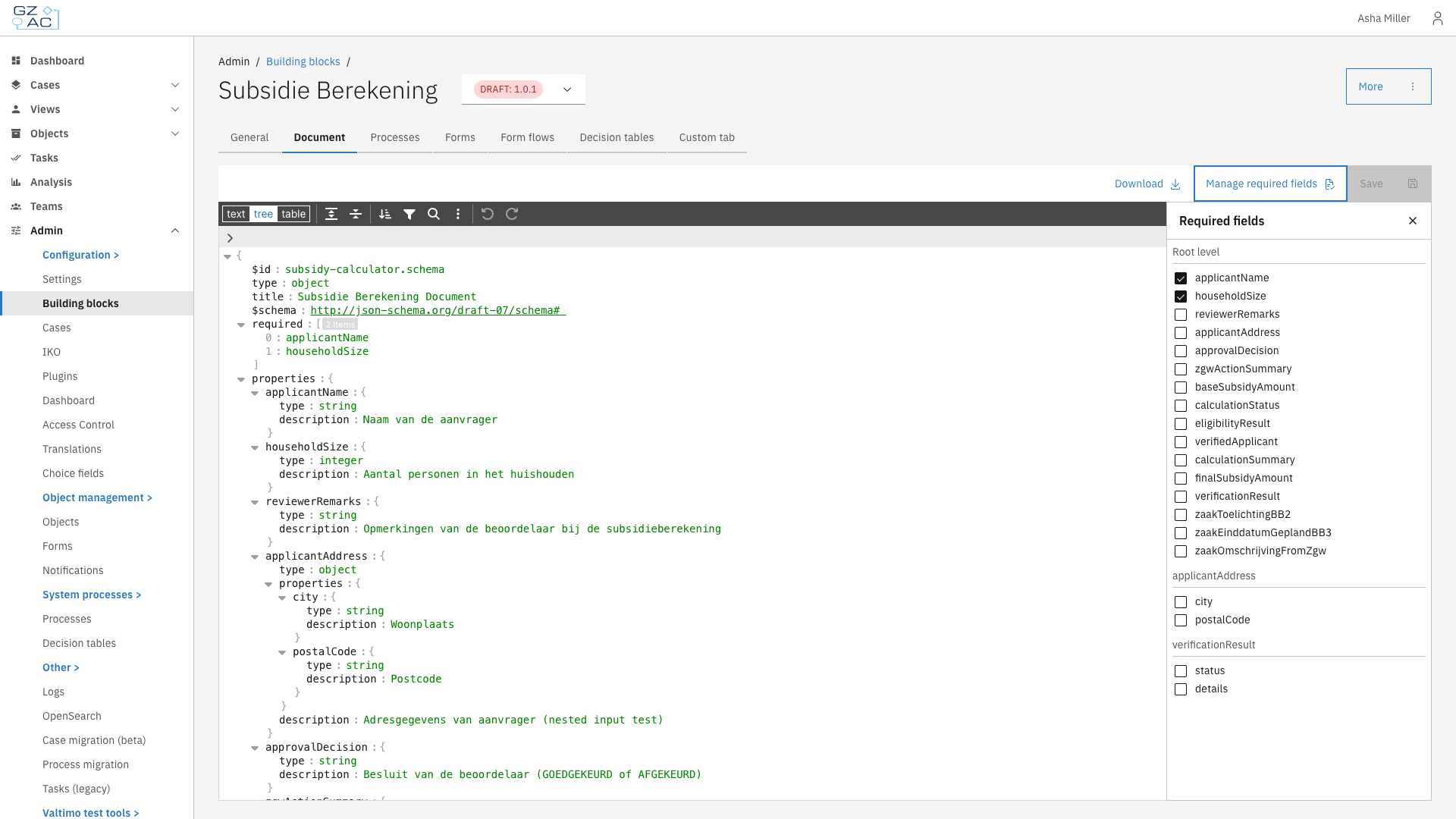
The Document tab defines the JSON schema for a building block's data structure. This schema specifies which data fields the building block uses, their types, and validation constraints. When a building block is linked to a case, its document schema is merged with the case's document schema.
***
## Configuring the document schema
{% stepper %}
{% step %}
Navigate to **Admin** in the sidebar
{% endstep %}
{% step %}
Click **Building blocks**
{% endstep %}
{% step %}
Select a building block from the list
{% endstep %}
{% step %}
Click the **Document** tab
{% endstep %}
{% endstepper %}
***
### Schema editor
The schema editor displays the JSON schema in a tree view. Use the toolbar to navigate and modify the schema.
| Action | Description |
| ------------------------- | ------------------------------------- |
| text / tree / table | Switch between view modes |
| Expand all / Collapse all | Expand or collapse all nested objects |
| Sort | Sort properties alphabetically |
| Search (Ctrl+F) | Find text within the schema |
| Undo / Redo | Revert or reapply changes |
Edit values by clicking on them directly in the tree. After making changes, click **Save** to persist the schema.
Use **Download** to export the schema as a JSON file.
***
### Managing required fields
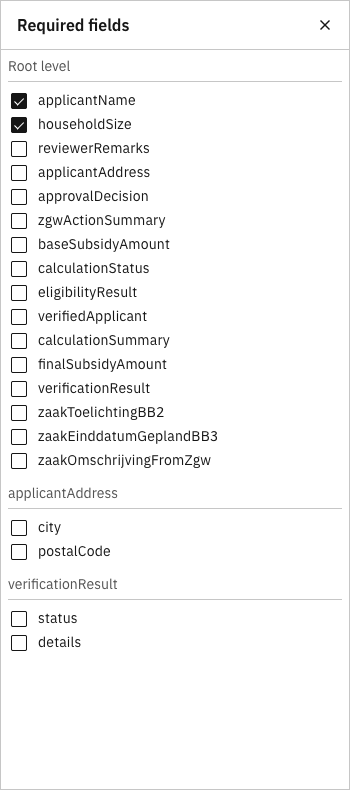
The required fields panel provides a convenient way to mark properties as required without manually editing the `required` array in the schema.
{% stepper %}
{% step %}
Click **Manage required fields** in the toolbar
{% endstep %}
{% step %}
The panel displays all properties grouped by object level (root and nested objects)
{% endstep %}
{% step %}
Check or uncheck properties to mark them as required or optional
{% endstep %}
{% step %}
Click **Save** to apply the changes
{% endstep %}
{% endstepper %}