> For the complete documentation index, see [llms.txt](https://docs.valtimo.nl/llms.txt). Markdown versions of documentation pages are available by appending `.md` to page URLs; this page is available as [Markdown](https://docs.valtimo.nl/configuration-guides/building-blocks.md).
# Building blocks
Building blocks are reusable configuration bundles that package processes, forms, form flows, decision tables, and document schemas together. They allow you to create modular, versioned components that can be shared across cases or imported into other Valtimo implementations.
This section covers:
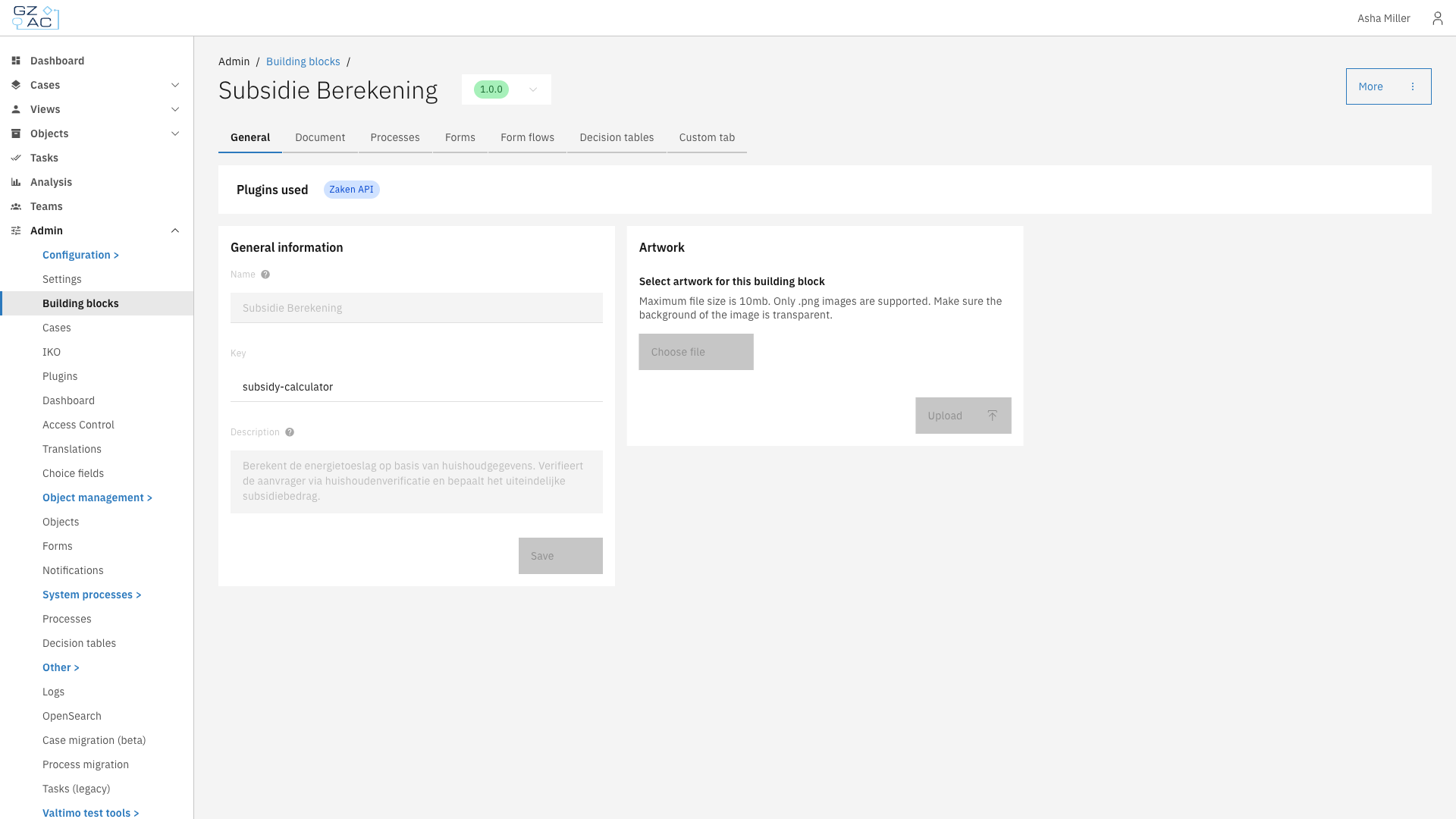
* [**General**](/configuration-guides/building-blocks/general.md) — Name, description, and artwork configuration
* [**Document**](/configuration-guides/building-blocks/document.md) — JSON schema for building block data
* [**Migration**](/configuration-guides/building-blocks/migration.md) — Moving running building block instances onto a newer version
* [**Processes**](/configuration-guides/building-blocks/processes.md) — BPMN process definitions
* [**Forms**](/configuration-guides/building-blocks/forms.md) — Form definitions for user tasks
* [**Form flows**](/configuration-guides/building-blocks/form-flows.md) — Multi-step form wizards
* [**Decision tables**](/configuration-guides/building-blocks/decision-tables.md) — DMN decision tables
***
## Configuring building blocks
{% stepper %}
{% step %}
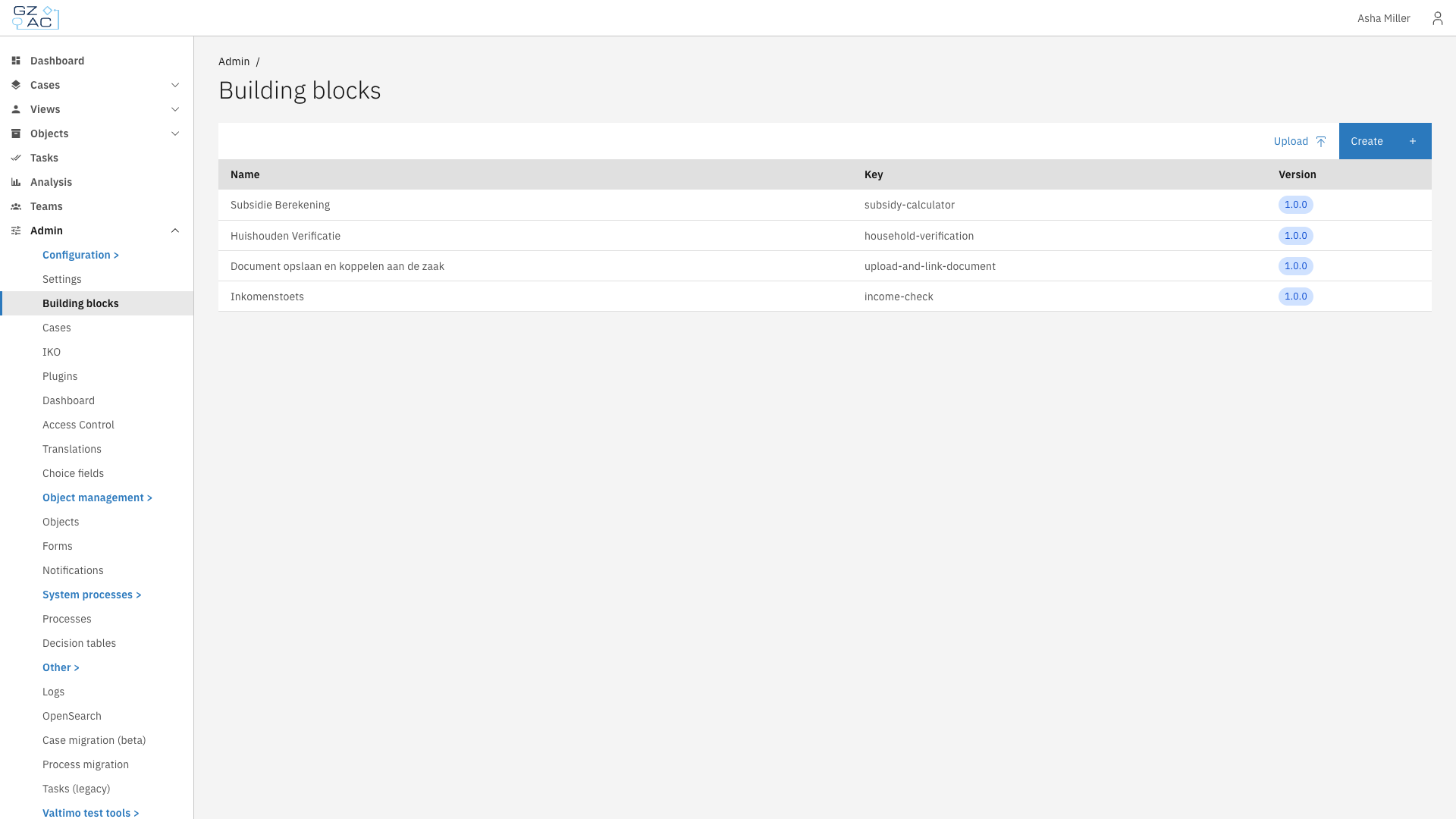
Go to **Admin** > **Building blocks**
Building blocks list
{% endstep %}
{% step %}
Click on a building block to configure it, or click **Create** to add a new one
Building block detail view
{% endstep %}
{% endstepper %}
***
## Version selector
Each building block has a version tag (e.g., `1.0.0`). The version selector in the page header shows the current version.
***
## Read-only state
When a building block version is marked as **final**, all tabs become read-only. Configuration (general information, document schema, processes, forms, form flows, and decision tables) can no longer be modified.
To make changes, create a new draft version of the building block.
***
## Import and export
Building blocks can be exported as ZIP files containing all related configuration (processes, forms, decision tables, etc.). Use the **Upload** button on the list page to import a building block ZIP file.
***
## Linking to cases
Building blocks can be linked to cases via the case configuration. When a building block is linked to a case, its processes become available as actions within that case context.